Rational Linkages
Backend Utilities
Global backend configuration for rational_linkages.
Controls whether numeric (NumPy) or symbolic (SymPy) computation is used
across all classes. Call set_backend() once at the top of a script
before constructing any objects.
Examples
import rational_linkages
rational_linkages.set_backend("sympy")

from rational_linkages import Quaternion
from sympy import symbols

a, b = symbols("a b", real=True)
q = Quaternion([a, b, 0, 0])   # returns QuaternionSymbolic
- rational_linkages.backend.set_backend(name)[source]
Set the global computation backend.
Must be called before constructing any objects. Switching backends after objects have already been created leads to undefined behaviour when mixing instances from different backends.
- Parameters:
name (
str) – Backend identifier. Either"numpy"(default) or"sympy".- Raises:
ValueError – If
nameis not a recognised backend.- Return type:
Examples
import rational_linkages

rational_linkages.set_backend("sympy")   # enable symbolic computation
rational_linkages.set_backend("numpy")   # restore numeric default
AffineMetric
- class rational_linkages.AffineMetric.AffineMetric(motion_curve, points)[source]
Bases:
objectAffine metric for a motion defined by a rational curve.
The affine metric aggregates point-wise metric contributions of a set of homogeneous 3D points and provides distances and inner-products for affine displacements represented as dual quaternions.
References
- Hofer, “Variational Motion Design in the Presence of Obstacles”,
dissertation thesis (2004), Page 7, Equation 2.4
- Schroecker, Weber, “Guaranteed collision detection with toleranced
motions”, Computer Aided Geometric Design (2014), Equation 3. http://dx.doi.org/10.1016/j.cagd.2014.08.001
- Parameters:
motion_curve (RationalCurve)
points (list[PointHomogeneous])
- create_affine_metric()[source]
Compute the aggregate affine metric matrix for the motion.
The metric is computed by summing the per-point metric contributions of the homogeneous 3D points stored in
self.points(seeget_point_metric_matrix()). The returned matrix operates on 12D representations of affine displacements.- Return type:
- Returns:
metric_matrix – The affine metric matrix in R^{12x12}.
- static get_point_metric_matrix(point)[source]
Return the 12x12 metric matrix contribution of a single point.
- Parameters:
point (
PointHomogeneous) – A homogeneous 3D point whose metric contribution is desired.- Return type:
- Returns:
metric_matrix – The metric matrix contribution for the supplied point.
Notes
The implementation follows the formulation in Hofer (2004), page 7, equation 2.4.
- get_curve_transformations()[source]
Return two representative transformations of the rational curve.
The method evaluates the stored motion curve at -1 and at infinity (implemented as evaluation with
inverted_part=Trueat parameter 0) and returns the corresponding dual quaternions.- Return type:
- Returns:
list – A two-element list containing the transformation at -1 and the transformation at infinity respectively.
- distance_via_matrix(a, b)[source]
Compute the metric distance between two affine displacements.
- Parameters:
a (
DualQuaternion) – Affine displacements represented as dual quaternions.b (
DualQuaternion) – Affine displacements represented as dual quaternions.
- Return type:
- Returns:
float – The distance between
aandbusing the precomputedself.pose_distance_matrix.
- squared_distance_pr12_points(a, b)[source]
Compute squared distance between two points given in projective R12.
- Parameters:
a (
ndarray) – Projective R12 points where the first component is the homogeneous scale and the remaining 12 components form the 12D representation (this function usesa[1:]andb[1:]internally).b (
ndarray) – Projective R12 points where the first component is the homogeneous scale and the remaining 12 components form the 12D representation (this function usesa[1:]andb[1:]internally).
- Return type:
- Returns:
float – The squared distance between the two supplied PR12 points.
- distance(a, b)[source]
Compute the Euclidean distance between two affine displacements.
- Parameters:
a (
DualQuaternion) – Affine displacements represented as dual quaternions.b (
DualQuaternion) – Affine displacements represented as dual quaternions.
- Return type:
- Returns:
float – The Euclidean distance computed as the square root of the inner product between the two displacements.
- squared_distance(a, b)[source]
Return the squared distance between two affine displacements.
- Parameters:
a (
DualQuaternion) – Affine displacements represented as dual quaternions. If both have non-zero scalar parts they will be normalized by their scalar components before computing the inner product.b (
DualQuaternion) – Affine displacements represented as dual quaternions. If both have non-zero scalar parts they will be normalized by their scalar components before computing the inner product.
- Return type:
- Returns:
float – The squared distance between
aandb.
- inner_product(a, b)[source]
Compute the inner product of two dual quaternions w.r.t. this metric.
The inner product is computed by acting both dual quaternions on each of the reference points that define the metric and summing the squared Euclidean distances between the resulting acted points.
- Parameters:
a (
DualQuaternion) – Affine displacements represented as dual quaternions.b (
DualQuaternion) – Affine displacements represented as dual quaternions.
- Returns:
float – The inner product value (a non-negative scalar).
CollisionFreeOptimization
- class rational_linkages.CollisionFreeOptimization.CollisionFreeOptimization(mechanism)[source]
Bases:
objectOptimization helpers for finding collision-free full-cycle designs.
The class contains utilities to estimate an initial configuration for the mechanism (smallest polyline) and to run higher-level optimization routines (for example combinatorial search).
- Parameters:
mechanism (RationalMechanism)
- smallest_polyline()[source]
Find points on mechanism axes that form the smallest polyline.
The routine represents each mechanism axis as a normalized line and chooses one point on each axis such that the closed polyline connecting these points has minimal total Euclidean length. The optimization is performed with
scipy.optimize.minimize.- Return type:
- Returns:
tuple –
(points, points_params, result)wherepointsis a list of 3D points on the axes,points_paramsare the parameter values used to generate these points (duplicated per joint connection point), andresultis the optimizer result object.
- optimize(method, step_length, min_joint_segment_length, max_iters, **kwargs)[source]
Run a high-level optimization to obtain collision-free design params.
- Parameters:
method (
str) – Name of the optimization method to run (e.g.'combinatorial_search').step_length (
float) – Step length used by the chosen optimization method (see the combinatorial search documentation for details).min_joint_segment_length (
float) – Minimum allowed length for joint segments during the search.max_iters (
int) – Maximum number of iterations to consider.**kwargs – Additional keyword arguments forwarded to the chosen method.
- Returns:
list – Parameters for a collision-free design found by the optimizer.
- class rational_linkages.CollisionFreeOptimization.CombinatorialSearch(mechanism, linkage_length, step_length=10.0, min_joint_segment_length=0.001, max_iters=10)[source]
Bases:
objectCombinatorial search for collision-free linkages.
The algorithm follows the approach in the referenced work ([1]) and performs an enumerative search over discrete shift values for links and joint connection points to find collision-free mechanism designs.
- Parameters:
mechanism (RationalMechanism)
linkage_length (float)
step_length (float)
min_joint_segment_length (float)
max_iters (int)
- combinatorial_search(**kwargs)[source]
Run the top-level combinatorial search.
The search iterates over increasing shift magnitudes and first attempts to find collision-free link-only configurations before searching the full mechanism including joint segments.
- Parameters:
**kwargs – Optional control parameters (for example
start_iterationandend_iterationcan be provided). See method usage in the code.- Returns:
list or None – Collision-free point parameters or
Noneif no solution was found.
- search_links(iteration, combinations=None)[source]
Search for a collision-free link-only configuration.
- Parameters:
iteration (
int) – Iteration index used to scale the shift magnitude.combinations (
list) – Precomputed combinations of discrete shifts to test. IfNone, combinations are generated internally.optional – Precomputed combinations of discrete shifts to test. If
None, combinations are generated internally.
- Returns:
list or None – Collision-free points parameters if a solution is found, otherwise
None.
- search_mechanism(coll_free_links_params, combinations=None)[source]
Search for a full collision-free mechanism design including joints.
- Parameters:
coll_free_links_params (
list) – Collision-free points parameters for links (as returned bysearch_links()). These parameters are doubled and adjusted to represent joint connection point pairs.combinations (
list) – Precomputed joint-shift combinations to try. IfNone, these are generated internally.optional – Precomputed joint-shift combinations to try. If
None, these are generated internally.
- Returns:
list or None – Collision-free point parameters for the full mechanism, or
Noneif no configuration could be found.
Dual Quaternion
- class rational_linkages.DualQuaternion.DualQuaternion(coeffs=None, rational=False)[source]
Bases:
objectDual quaternion representing a rigid body displacement in 3D space.
A dual quaternion consists of a primal part
p(rotation) and a dual partd(translation), stored as twoQuaternioninstances. The 8 Study parameters[p0, p1, p2, p3, d0, d1, d2, d3]are the concatenation of the two quaternion coefficient vectors.By default, all computation is performed with NumPy (
float64). When the global backend is set to"sympy"viaset_backend(), construction transparently returns aDualQuaternionSymbolicinstance instead.- Parameters:
- Variables:
p (Quaternion) – Primal part
[p0, p1, p2, p3], representing rotation.d (Quaternion) – Dual part
[d0, d1, d2, d3], representing translation.
- Raises:
ValueError – If
coeffsis not an 8-vector.
Examples
from rational_linkages import DualQuaternion

dq = DualQuaternion([1, 2, 3, 4, 0.1, 0.2, 0.3, 0.4])
identity = DualQuaternion()
print(dq)
print(identity)
from rational_linkages import DualQuaternion, Quaternion

q1 = Quaternion([0.5, 0.5, 0.5, 0.5])
q2 = Quaternion([1, 2, 3, 4])
dq = DualQuaternion.from_two_quaternions(q1, q2)
print(dq)
# Symbolic backend

import rational_linkages
rational_linkages.set_backend("sympy")

from rational_linkages import DualQuaternion
from sympy import symbols

p0, p1, p2, p3, d0, d1, d2, d3 = symbols("p0 p1 p2 p3 d0 d1 d2 d3", real=True)
dq = DualQuaternion([p0, p1, p2, p3, d0, d1, d2, d3])
print(dq)

rational_linkages.set_backend("numpy")
- classmethod from_two_quaternions(primal, dual)[source]
Construct a DualQuaternion from primal and dual Quaternions.
- Parameters:
primal (
Quaternion) – Primal (rotation) quaternion.dual (
Quaternion) – Dual (translation) quaternion.
- Return type:
- Returns:
DualQuaternion
Examples
from rational_linkages import DualQuaternion, Quaternion

p = Quaternion([1, 0, 0, 0])
d = Quaternion([0, 1, 0, 0])
dq = DualQuaternion.from_two_quaternions(p, d)
print(dq)
- classmethod random(interval=1.0)[source]
Construct a random DualQuaternion with coefficients in
(-interval, interval).- Parameters:
interval (
float) – Half-width of the uniform sampling range. Default1.0.- Return type:
- Returns:
DualQuaternion
Examples
from rational_linkages import DualQuaternion

dq = DualQuaternion.random()
print(dq)
- classmethod random_on_study_quadric(interval=1.0)[source]
Construct a random DualQuaternion projected onto the Study quadric.
- Parameters:
interval (
float) – Half-width of the uniform sampling range. Default1.0.- Return type:
- Returns:
DualQuaternion
- classmethod random_integers(low=-1, high=2, study_condition=True)[source]
Construct a random DualQuaternion with integer elements.
- Parameters:
- Return type:
- Returns:
DualQuaternion
- classmethod as_rational(coeffs=None)[source]
Construct a DualQuaternion from SymPy
Rationalnumbers.Deprecated since version ``as_rational``: is deprecated and will be removed in a future version. Pass SymPy
Rationalvalues directly to theDualQuaternionconstructor instead::from sympy import Rational dq = DualQuaternion([Rational(1, 2), 0, 0, 0, 0, 0, 0, 0])
Each element of
coeffsis converted to asympy.Rational. Elements may be plain numbers (converted viaRational(x)), or 2-tuples(p, q)(converted viaRational(p, q)). IfNone, the rational identity dual quaternion is returned.
- classmethod from_bq_biquaternion(biquaternion)[source]
Construct a DualQuaternion from a
biquaternion_pyBiQuaternion.- Parameters:
biquaternion – A
biquaternion_py.biquaternion.BiQuaternioninstance.- Return type:
- Returns:
DualQuaternion
- Raises:
ValueError – If
biquaternionis not aBiQuaternioninstance.
Examples
from rational_linkages import DualQuaternion
from biquaternion_py import BiQuaternion

bq = BiQuaternion(1, 0, 0, 0, 0, 2, 3, 4)
dq = DualQuaternion.from_bq_biquaternion(bq)
print(dq)
- classmethod from_bq_poly(poly, indet)[source]
Construct a DualQuaternion from a degree-1
biquaternion_pypolynomial.The polynomial is expected to be of the form
(t - h), wheretis the indeterminate andhis a BiQuaternion. The DualQuaternion is assembled from the negated constant coefficients of the polynomial.- Parameters:
poly – A
biquaternion_py.polynomials.Polyinstance of degree 1.indet – The SymPy symbol used as indeterminate of the polynomial.
- Return type:
- Returns:
DualQuaternion
- Raises:
ValueError – If
polyis not aPolyinstance or is not of degree 1.
Examples
from rational_linkages import DualQuaternion
from biquaternion_py import Poly, KK, EE, II
from sympy import Symbol

t = Symbol("t")
h = 2 * KK + EE * II
dq = DualQuaternion.from_bq_poly(Poly(t - h, t), indet=t)
print(dq)
- property real: ndarray
Real scalars of the dual quaternion
[p0, d0].- Returns:
numpy.ndarray – 2-vector.
- property imag: ndarray
Imaginary parts of the dual quaternion
[p1, p2, p3, d1, d2, d3].- Returns:
numpy.ndarray – 6-vector (e.g. Plücker coordinates when the DQ represents a line).
- property coordinates
Return the coordinates of the dual quaternion.
- Returns:
numpy.ndarray – 8-vector of dual quaternion coordinates.
- array()[source]
Return the 8 Study parameters as a numpy array.
- Return type:
- Returns:
numpy.ndarray – 8-vector
[p0, p1, p2, p3, d0, d1, d2, d3].
Examples
from rational_linkages import DualQuaternion

dq = DualQuaternion([1, 2, 3, 4, 5, 6, 7, 8])
print(dq.array())
- conjugate()[source]
Dual quaternion conjugate, both primal and dual parts.
- Return type:
- Returns:
DualQuaternion –
[p.conjugate(), d.conjugate()].
Examples
from rational_linkages import DualQuaternion

dq = DualQuaternion([1, 2, 3, 4, 5, 6, 7, 8])
print(dq.conjugate())
- eps_conjugate()[source]
Epsilon (dual) conjugate, negate the dual part only.
- Return type:
- Returns:
DualQuaternion –
[p, -d].
Examples
from rational_linkages import DualQuaternion

dq = DualQuaternion([1, 2, 3, 4, 5, 6, 7, 8])
print(dq.eps_conjugate())
- norm()[source]
Dual quaternion norm as a dual number, returned as a DualQuaternion.
The primal norm
p·poccupies index 0, the dual norm2(p·d)occupies index 4; all other entries are zero.- Return type:
- Returns:
DualQuaternion
Examples
from rational_linkages import DualQuaternion

dq = DualQuaternion([1, 0, 0, 0, 0, 1, 2, 3])
print(dq.norm())
- normalize()[source]
Normalize the dual quaternion so that
p0 == 1.- Return type:
- Returns:
DualQuaternion
- Raises:
ValueError – If the first Study parameter is zero.
Examples
from rational_linkages import DualQuaternion

dq = DualQuaternion([2, 0, 0, 0, 0, 2, 4, 6])
print(dq.normalize())
- inv()[source]
Inverse of the dual quaternion.
Computed as
p_inv = p.inv();d_inv = -p_inv * d * p_inv.- Return type:
- Returns:
DualQuaternion
Examples
from rational_linkages import DualQuaternion

dq = DualQuaternion([1, 0, 0, 0, 0, 1, 0, 0])
print(dq * dq.inv())
- back_projection()[source]
Project the dual quaternion onto the Study quadric (fiber projection).
If the dual quaternion already lies on the Study quadric the instance is returned unchanged.
- Return type:
- Returns:
DualQuaternion
Examples
from rational_linkages import DualQuaternion

dq = DualQuaternion([1, 2, 3, 4, 5, 6, 7, 8])
dq_on_quadric = dq.back_projection()
print(dq_on_quadric.is_on_study_quadric())
- extended_dot(other)[source]
Extended scalar (dot) product of two dual quaternions.
Defined as
self.p · other.d + self.d · other.p.- Parameters:
other (
DualQuaternion) – Second DualQuaternion.- Return type:
- Returns:
float
Examples
from rational_linkages import DualQuaternion

dq1 = DualQuaternion([1, 0, 0, 0, 0, 1, 0, 0])
dq2 = DualQuaternion([1, 0, 0, 0, 0, 0, 1, 0])
print(dq1.extended_dot(dq2))
- is_on_study_quadric(approximate=False)[source]
Check whether the dual quaternion lies on the Study quadric.
The Study condition is
p · d == 0(dot product of primal and dual coefficient vectors).- Parameters:
approximate (
bool) – IfTrue, use a looser threshold of1e-10instead of the default strict1e-20.- Return type:
- Returns:
bool
Examples
from rational_linkages import DualQuaternion

dq = DualQuaternion([1, 0, 0, 0, 0, 0, 0, 0])
print(dq.is_on_study_quadric())
- study_condition()[source]
Compute the Study condition value
p · d.- Return type:
- Returns:
float – The value of the Study condition, which should be zero for valid rigid body displacements.
Examples
from rational_linkages import DualQuaternion

dq = DualQuaternion([1, 0, 0, 0, 0, 0, 0, 0])
print(dq.study_condition())
- dq2matrix(normalize=True)[source]
Convert to a 4×4 SE(3) homogeneous transformation matrix.
- Parameters:
normalize (
bool) – IfTrue(default), divide by the top-left entry so that the rotation block is properly scaled.- Return type:
- Returns:
numpy.ndarray – 4×4 transformation matrix.
Examples
from rational_linkages import DualQuaternion

dq = DualQuaternion([1, 0, 0, 0, 0, 1, 2, 3])
print(dq.dq2matrix())
- dq2point()[source]
Extract the translation 3-vector directly from Study parameters.
Normalizes by
p0first, then reads indices 5-7.- Return type:
- Returns:
numpy.ndarray – 3-vector
[tx, ty, tz].
Examples
from rational_linkages import DualQuaternion

dq = DualQuaternion([2, 0, 0, 0, 0, 2, 4, 6])
print(dq.dq2point())
- dq2point_homogeneous()[source]
Extract the homogeneous point
[p0, d1, d2, d3].- Return type:
- Returns:
numpy.ndarray – 4-vector.
Examples
from rational_linkages import DualQuaternion

dq = DualQuaternion([1, 0, 0, 0, 0, 1, 2, 3])
print(dq.dq2point_homogeneous())
- dq2point_via_matrix()[source]
Extract the translation 3-vector via the SE(3) matrix.
- Return type:
- Returns:
numpy.ndarray – 3-vector
[tx, ty, tz](column 0, rows 1-3 ofdq2matrix()).
Examples
from rational_linkages import DualQuaternion

dq = DualQuaternion([1, 0, 0, 0, 0, 1, 2, 3])
print(dq.dq2point_via_matrix())
- dq2line_vectors()[source]
Convert the dual quaternion to Plücker line coordinates.
Returns the direction vector and moment vector of the represented line. Both vectors are normalized.
- Return type:
- Returns:
tuple[numpy.ndarray, numpy.ndarray] –
(direction, moment)each a 3-vector.- Raises:
ValueError – If the dual quaternion contains more than one free symbol.
- Warns:
UserWarning – If the dual quaternion does not appear to represent a line (non-zero first or fifth element).
Examples
from rational_linkages import DualQuaternion

dq = DualQuaternion([0, 0, 0, 1, 0, 0, -2, 0])
direction, moment = dq.dq2line_vectors()
print(direction, moment)
- dq2screw()[source]
Convert to 6D screw coordinates
[direction | moment].- Return type:
- Returns:
numpy.ndarray – 6-vector.
Examples
from rational_linkages import DualQuaternion

dq = DualQuaternion([0, 0, 0, 1, 0, 0, -2, 0])
print(dq.dq2screw())
- dq2point_via_line()[source]
Recover a point on the line via
direction × moment.- Return type:
- Returns:
numpy.ndarray – 3-vector.
Examples
from rational_linkages import DualQuaternion

dq = DualQuaternion([0, 0, 0, 1, 0, 0, -2, 0])
print(dq.dq2point_via_line())
- as_12d_vector()[source]
Return the dual quaternion as a 12D vector from the SE(3) matrix.
Columns 0-3 of rows 1-3 of
dq2matrix()are stacked horizontally.- Return type:
- Returns:
numpy.ndarray – 12-vector.
Examples
from rational_linkages import DualQuaternion

dq = DualQuaternion([1, 0, 0, 0, 0, 1, 2, 3])
print(dq.as_12d_vector())
- eval(subs)[source]
Evaluate the dual quaternion by substituting symbols with values.
- Parameters:
subs (dict) – Mapping of SymPy symbols to numeric values.
- Return type:
- Returns:
DualQuaternion – New numeric dual quaternion with substitutions applied.
Examples
import rational_linkages
rational_linkages.set_backend("sympy")

from rational_linkages import DualQuaternion
from sympy import symbols

t = symbols("t")
dq = DualQuaternion([1, t, 0, 0, 0, t, 0, 0])
result = dq.eval({t: 2})
print(result)

rational_linkages.set_backend("numpy")
- evalf()[source]
Placeholder for DualQuaternionSymbolic.evalf() method.
- Return type:
- Returns:
DualQuaternion – Evaluated quaternion.
- act(affected_object)[source]
Act on a geometric object (line or point) with this dual quaternion.
The action is a half-turn about the dual quaternion’s axis. If
affected_objectis itself aDualQuaternion(treated as a rotation-axis dual quaternion), it is first converted to aNormalizedLineand the action is performed on that.- Parameters:
affected_object – A
NormalizedLine,PointHomogeneous, orDualQuaternionto act upon.- Return type:
- Returns:
NormalizedLine or PointHomogeneous – The transformed geometric object.
Examples
from rational_linkages import DualQuaternion, NormalizedLine
from rational_linkages.dualQuaternionAction import act

dq = DualQuaternion([1, 0, 0, 1, 0, 3, 2, -1])
line = NormalizedLine.from_direction_and_point([0, 0, 1], [0, -2, 0])
line_transformed = dq.act(line)
Dual Quaternion Symbolic
- class rational_linkages.DualQuaternionSymbolic.DualQuaternionSymbolic(coeffs=None, rational=False)[source]
Bases:
DualQuaternionSymbolic dual quaternion backed by SymPy expressions.
Subclass of
DualQuaternionfor algebraic computation. Typically, not instantiated directly — when the global backend is set to"sympy"viaset_backend(),DualQuaterniontransparently returns instances of this class via its__new__factory.All arithmetic operators return
DualQuaternionSymbolicinstances. Products are simplified viasympy.expand()and inverses viasympy.simplify()for clean algebraic output.- Parameters:
- Variables:
p (QuaternionSymbolic) – Primal part.
d (QuaternionSymbolic) – Dual part.
- Raises:
ValueError – If
coeffsis not an 8-vector.
Examples
import rational_linkages
rational_linkages.set_backend("sympy")

from rational_linkages import DualQuaternion
from sympy import symbols

p0, p1, p2, p3, d0, d1, d2, d3 = symbols(
    "p0 p1 p2 p3 d0 d1 d2 d3", real=True
)
dq1 = DualQuaternion([p0, p1, p2, p3, d0, d1, d2, d3])
dq2 = DualQuaternion()   # identity

print(dq1 * dq2)
print(dq1.norm())

rational_linkages.set_backend("numpy")
- classmethod random(interval=1, max_denominator=4)[source]
Create a random dual quaternion with rational coefficients.
- Parameters:
- Return type:
- Returns:
DualQuaternionSymbolic
- classmethod random_on_study_quadric(interval=1)[source]
Create a random dual quaternion with rational coefficients that satisfies the Study condition.
- Parameters:
interval (
int) – SymPy number specifying the range of random coefficients. Each coefficient is sampled uniformly from the interval[-interval, interval]. Default is 1.- Return type:
- Returns:
DualQuaternionSymbolic
- array()[source]
Return the 8 Study parameters as an object-dtype numpy array.
- Return type:
- Returns:
numpy.ndarray – Object-dtype 8-vector of SymPy expressions.
- norm()[source]
Dual quaternion norm as a dual number, returned as a
DualQuaternionSymbolic.The primal norm
p·poccupies index 0, the dual norm2(p·d)occupies index 4; all other entries are zero.- Return type:
- Returns:
DualQuaternionSymbolic
- normalize()[source]
Normalize the dual quaternion so that the first Study parameter equals 1.
- Return type:
- Returns:
DualQuaternionSymbolic
- Raises:
ValueError – If the first Study parameter simplifies to zero.
- inv()[source]
Inverse of the symbolic dual quaternion.
Computed as
p_inv = p.inv();d_inv = -p_inv * d * p_inv, with each component simplified viasympy.simplify().- Return type:
- Returns:
DualQuaternionSymbolic
- conjugate()[source]
Dual quaternion conjugate: conjugate both primal and dual parts.
- Return type:
- Returns:
DualQuaternionSymbolic
- eps_conjugate()[source]
Epsilon (dual) conjugate: negate the dual part only.
- Return type:
- Returns:
DualQuaternionSymbolic
- extended_dot(other)[source]
Extended scalar (dot) product of two dual quaternions.
Defined as
self.p · other.d + self.d · other.p.- Parameters:
other (
DualQuaternion) – Second DualQuaternion.- Return type:
- Returns:
sympy.Expr
- is_on_study_quadric(approximate=False)[source]
Check whether the symbolic dual quaternion satisfies the Study condition
p · d == 0after simplification.
- study_condition()[source]
Return the Study condition
p · das a SymPy expression.- Returns:
sympy.Expr
- back_projection()[source]
Project the symbolic dual quaternion onto the Study quadric.
- Return type:
- Returns:
DualQuaternionSymbolic
- eval(subs)[source]
Evaluate the symbolic dual quaternion by substituting symbols.
- Parameters:
subs (dict) – Mapping of SymPy symbols to values.
- Return type:
- Returns:
DualQuaternionSymbolic – New symbolic dual quaternion with substitutions applied.
Examples
import rational_linkages
rational_linkages.set_backend("sympy")

from rational_linkages import DualQuaternion
from sympy import symbols

t = symbols("t")
dq = DualQuaternion([1, t, 0, 0, 0, t, 0, 0])
result = dq.eval({t: 2})
print(result)

rational_linkages.set_backend("numpy")
Dual Quaternion Action
DualQuaternionAction — functions for acting on geometric objects with dual quaternions.
The public entry point is act(). The private helpers below it implement
the two concrete action formulas and the type-dispatch logic.
Keeping this as a plain module (rather than a class) reflects the fact that there is no state to manage: every function is a pure transformation.
Usage via DualQuaternion.act
from rational_linkages import DualQuaternion
from rational_linkages import NormalizedLine

dq = DualQuaternion([1, 0, 0, 1, 0, 3, 2, -1])
line = NormalizedLine.from_direction_and_point([0, 0, 1], [0, -2, 0])
line_transformed = dq.act(line)
Direct usage
from rational_linkages.dualQuaternionAction import act
from rational_linkages import NormalizedLine, DualQuaternion

dq = DualQuaternion([1, 0, 0, 1, 0, 3, 2, -1])
line = NormalizedLine.from_direction_and_point([0, 0, 1], [0, -2, 0])

result = act(dq, line)
- rational_linkages.dualQuaternionAction.act(acting_object, affected_object)[source]
Act on a geometric object with a dual quaternion (or a list of factors).
Dispatches to
_act_on_lineor_act_on_pointbased on the type ofaffected_object. Whenacting_objectis a list, the factors are multiplied left-to-right before the action is applied.- Parameters:
acting_object (
Union[DualQuaternion,list[DualQuaternion]]) – ADualQuaternion, or a list ofDualQuaternionfactors whose product is used.affected_object (
Union[NormalizedLine,PointHomogeneous]) – ANormalizedLineorPointHomogeneousto transform.
- Return type:
Union[NormalizedLine,PointHomogeneous]- Returns:
NormalizedLine or PointHomogeneous – The transformed geometric object, of the same type as
affected_object.- Raises:
TypeError – If
affected_objectis neither aNormalizedLinenor aPointHomogeneous.
Examples
from rational_linkages import DualQuaternion
from rational_linkages.dualQuaternionAction import act
from rational_linkages.NormalizedLine import NormalizedLine

dq = DualQuaternion([1, 0, 0, 1, 0, 3, 2, -1])
line = NormalizedLine.from_direction_and_point([0, 0, 1], [0, -2, 0])
line_transformed = act(dq, line)
Exudyn Analysis
- class rational_linkages.ExudynAnalysis.ExudynAnalysis(gravity=array([0., 0., -9.81]))[source]
Bases:
objectUtilities to prepare parameters for Exudyn dynamics simulations.
The Exudyn package is optional for this project and is not listed in the project’s requirements. Install it manually if you want to run the simulation-related code. See the documentation Dynamics Simulations - Exudyn Integration or the Exudyn project page: https://github.com/jgerstmayr/EXUDYN
- get_exudyn_params(mechanism, is_rational=True, link_radius=0.1, scale=1.0)[source]
Prepare parameter tuples required to build an Exudyn model.
The returned values can be used to create rigid bodies, define joint axes and populate body geometry in an Exudyn multibody system. The tuple contains the following elements:
links_pts: positions of the link connection points (list of point pairs)links_lengths: scalar lengths for each linkbody_dim: per-link body dimensions used to size primitive geometrieslinks_masses_pts: center-of-gravity positions for each linkjoint_axes: unit axes for the jointsrelative_links_pts: connection points relative to each link’s COG
- Parameters:
mechanism (
RationalMechanism) – The mechanism to convert into Exudyn parameters.is_rational (
bool) – If True, use the mechanism’s rational representation; otherwise a static representation is used.optional – If True, use the mechanism’s rational representation; otherwise a static representation is used.
link_radius (
float) – Radius (thickness) to use for link bodies when creating body dimensions.optional – Radius (thickness) to use for link bodies when creating body dimensions.
scale (
float) – Length scaling factor applied to all link points.optional – Length scaling factor applied to all link points.
- Return type:
- Returns:
tuple – A tuple with (links_pts, links_lengths, body_dim, links_masses_pts, joint_axes, relative_links_pts).
Factorization Provider
- class rational_linkages.FactorizationProvider.FactorizationProvider(use_rationals=False)[source]
Bases:
objectProvide motion factorizations for polynomial or curve inputs.
This class provides methods to factorize a polynomial or a
RationalCurveinto motion factorizations. It integrates with the externalbiquaternion_pyproject (BiQuaternions_py).References
- BiQuaternions_py
- Parameters:
use_rationals (bool)
- factorize_motion_curve(curve)[source]
Factorize a motion curve or biquaternion polynomial.
- Parameters:
curve (
Union[RationalCurve,Poly]) – ARationalCurveor abiquaternion_py.polynomials.Polyrepresenting the motion polynomial to factorize.- Return type:
- Returns:
list[MotionFactorization] – Two alternative
MotionFactorizationinstances describing possible motion decompositions.- Warns:
If the input polynomial contains non-rational coefficients while the
provider was configured for rational factorization, a warning is
emitted and the factorization is performed in floating point.
- factorize_for_motion_factorization(factorization)[source]
Generate alternative factorizations from an existing factorization.
- Parameters:
factorization (
MotionFactorization) – TheMotionFactorizationto be analyzed and re-factored.- Return type:
- Returns:
list[MotionFactorization] – A list of alternative
MotionFactorizationinstances.- Warns:
Emits a warning if a rational-domain factorization was requested but
the dual-quaternion factors are not rational; in that case the
computation proceeds in floating-point arithmetic.
- factorize_polynomial(poly)[source]
Factorize a biquaternion polynomial into irreducible factors.
- Parameters:
poly (
Poly) – Abiquaternion_py.polynomials.Polyinstance to factorize.- Return type:
- Returns:
list[biquaternion_py.polynomials.Poly] – A list of factorization polynomials used to derive motion factorizations.
- Raises:
ValueError – If the polynomial cannot be factorized into multiple irreducible factors.
- factor2rotation_axis(factor)[source]
Convert a polynomial factor into a dual-quaternion rotation axis.
- Parameters:
factor (
Poly) – Abiquaternion_py.polynomials.Polyrepresenting a linear factor in the motion polynomial (typically of the formt - axis).- Return type:
- Returns:
DualQuaternion – A
DualQuaternioninstance representing the rotation axis (parameter removed).
Linkage
- Classes in the Module:
Linkage: Represents the connection points on a joint.
PointsConnection: Operates the connection points for a given joint.
LineSegment: Represents the physical realization of a linkage.
- class rational_linkages.Linkage.Linkage(axis, connection_points)[source]
Bases:
objectStore and manage connection points for a joint axis.
A Linkage holds two connection points (or a single point duplicated) on a joint axis and exposes utilities to query and set those points by their parametric position on the axis.
- Parameters:
axis (DualQuaternion)
connection_points (list[PointHomogeneous])
- class rational_linkages.Linkage.PointsConnection(connection_point)[source]
Bases:
objectContainer exposing the two connection points of a joint.
This small helper provides sequence-like access to the two underlying
PointHomogeneousinstances.- Parameters:
connection_point (list[PointHomogeneous])
- class rational_linkages.Linkage.LineSegment(equation, point0, point1, linkage_type, f_idx, idx, default_line=None)[source]
Bases:
objectRepresent a physical line segment produced by two moving points.
A LineSegment stores parametric point expressions (typically
PointHomogeneousinstances with parameter t) for its endpoints and bookkeeping metadata such as type and factorization indices.- classmethod get_by_id(segment_id)[source]
Return a previously created LineSegment by its identifier.
- Parameters:
segment_id – The identifier string of the segment (for example
'l_01').
- classmethod get_all()[source]
Return the registry of all created line segments.
- Returns:
dict – Mapping from segment id to
LineSegmentinstance.
- classmethod reset_counter()[source]
Reset the internal creation counter and clear the registry.
Use this when constructing multiple mechanisms in the same process to avoid id collisions.
- is_point_in_segment(point, t_val)[source]
Check whether a 3D point lies on the segment at parameter
t_val.The endpoints of the segment are evaluated at
t_valand the point is considered part of the segment when the sum of distances from the endpoints equals the segment length within numerical tolerance.- Parameters:
point (
PointHomogeneous) – APointHomogeneousrepresenting the query point.t_val (
float) – Parameter value at which the segment endpoints are evaluated.
- Return type:
- Returns:
bool – True if the point lies on the segment, False otherwise.
- get_plot_data()[source]
Return arrays suitable for plotting the moving line segment.
The function samples the segment endpoints over a finite parameter interval and returns three 2xN arrays containing the X, Y and Z coordinates for both endpoints. These arrays can be plotted as a mesh to display the moving segment.
- Return type:
- Returns:
tuple –
(x, y, z)arrays where each array has shape (2, N).
MiniBall
- class rational_linkages.MiniBall.MiniBall(points, metric=None, method='welzl')[source]
Bases:
object- Parameters:
points (list[PointHomogeneous])
metric (AffineMetric)
method (str)
- get_ball(method='minimize')[source]
Compute the smallest enclosing ball for the current points.
- Parameters:
method (
str) – Algorithm to use; see__init__for supported options.optional – Algorithm to use; see
__init__for supported options.
- Returns:
(PointHomogeneous, float) – Tuple with the ball center (as
PointHomogeneous) and the squared radius.
- get_ball_minimize()[source]
Compute the smallest enclosing ball by numerical optimization.
Uses
scipy.optimize.minimize()to find a center and radius that satisfy inequality constraints for all input points under the chosen metric.- Returns:
OptimizeResult – The SciPy optimization result object produced by
minimize.
- get_plot_data()[source]
Return arrays for plotting the ball surface in 3D.
The method supports embedding the homogeneous point representation in 3D space for the specific internal dimensions used by the project.
- Return type:
- Returns:
tuple – Arrays
(x, y, z)suitable for surface plotting.- Raises:
ValueError – If the underlying point dimension is not supported for plotting.
- get_circumsphere(points, metric=None)[source]
Compute the circumsphere (unique sphere passing through given points).
- Parameters:
points (
ndarray) – An array of points (shape (k, D)) used to compute the circumsphere.metric (
AffineMetric) – OptionalAffineMetricto measure distances; ifNoneEuclidean distances are used.optional – Optional
AffineMetricto measure distances; ifNoneEuclidean distances are used.
- Returns:
(numpy.ndarray, float) – Tuple with the circumsphere center and its squared radius.
- get_bounding_ball(points, metric=None, epsilon=1e-07, rng=Generator(PCG64) at 0x7077F5221540)[source]
Compute the smallest enclosing ball using an iterative (Welzl-like) algorithm implemented with an explicit traversal.
- Parameters:
points (
ndarray) – Array of input points with shape (N, D).metric (
AffineMetric) – OptionalAffineMetricspecifying the distance measure.optional – Optional
AffineMetricspecifying the distance measure.epsilon (
float) – Numerical tolerance used to test if points lie on a candidate sphere.optional – Numerical tolerance used to test if points lie on a candidate sphere.
rng – NumPy random Generator used to select random pivots during the traversal.
optional – NumPy random Generator used to select random pivots during the traversal.
- Returns:
(numpy.ndarray, float) – The computed center and squared radius of the enclosing ball.
Motion Approximation
- class rational_linkages.MotionApproximation.MotionApproximation[source]
Bases:
objectUtilities to approximate rational motion curves from samples.
The class provides routines to approximate a low-degree rational motion curve that passes close to a set of given poses or points. Optimization is performed using SciPy when available.
- static approximate(init_curve, poses_or_points, t_vals)[source]
Approximate a motion curve that passes through given poses or points.
- Parameters:
init_curve – Initial
RationalCurveguess. A good starting guess can be produced with the motion interpolation utilities.poses_or_points (
list[Union[DualQuaternion,PointHomogeneous]]) – Sequence of target poses (DualQuaternion) or target points (PointHomogeneous) to approximate.t_vals (
Union[list[float],ndarray]) – Parameter values corresponding to the targets, in the same order.
- Return type:
- Returns:
tuple –
(approximated_curve, optimization_result)whereapproximated_curveis aRationalCurveandoptimization_resultis the solver’s result object.
- static force_study_quadric(init_curve)[source]
Adjust a curve so its coefficients satisfy the Study quadric.
The function optimizes coefficient values so that the resulting rational curve lies on the Study quadric (within numerical tolerance).
- Parameters:
init_curve (
RationalCurve) – TheRationalCurvewhose coefficients are to be adjusted.- Returns:
tuple –
(result_curve, result)whereresult_curveis the adjustedRationalCurveandresultis the optimizer result.
Motion Designer
- class rational_linkages.MotionDesigner.MotionDesigner(method, initial_points_or_poses=None, arrows_length=1.0, sliders_range=10, show_grid=True, white_background=False, preview_mechanism=False)[source]
Bases:
objectMain application class for the motion designer.
This class encapsulates the Qt application and provides convenience constructors to create and show the interactive MotionDesigner widget.
Examples
# Run motion designer without initial points or poses
from rational_linkages import MotionDesigner

d = MotionDesigner(method='quadratic_from_poses')
d.show()
# Run motion designer with initial points:
from rational_linkages import MotionDesigner, PointHomogeneous

chosen_points = [PointHomogeneous(pt) for pt in
                 [
                     [ 1.  , -0.2 ,  0.  ,  1.76],
                     [1., 1., 1., 2.],
                     [ 1.,  3., -3.,  1.],
                     [ 1.,  2., -4.,  1.],
                     [ 1., -2., -2.,  2.]
                 ]]

d = MotionDesigner(method='quadratic_from_points', initial_points_or_poses=chosen_points)
d.show()
- Parameters:
method (str)
initial_points_or_poses (list[PointHomogeneous | DualQuaternion])
arrows_length (float)
sliders_range (int)
show_grid (bool)
white_background (bool)
preview_mechanism (bool)
- classmethod start(initial_points_or_poses=None, arrows_length=1.0, white_background=False, sliders_range=10, show_grid=True, preview_mechanism=False)[source]
Start a modal dialog to choose input method and launch the designer.
- Parameters:
initial_points_or_poses (
list[Union[PointHomogeneous,DualQuaternion]]) – Initial list of points or poses to seed the designer.optional – Initial list of points or poses to seed the designer.
arrows_length (
float) – Visual length of pose arrows.optional – Visual length of pose arrows.
white_background (
bool) – Whether the plot uses a white background.optional – Whether the plot uses a white background.
sliders_range (
int) – Slider range for control widgets.optional – Slider range for control widgets.
show_grid (
bool) – Whether to display a grid in the 3D view.optional – Whether to display a grid in the 3D view.
preview_mechanism (
bool) – Whether to show a computational preview of the synthesized mechanism.optional – Whether to show a computational preview of the synthesized mechanism.
- plot(*args, **kwargs)[source]
Proxy to the widget plotter’s plot method.
All positional and keyword arguments are forwarded to
self.window.plotter.plot.
- show()[source]
Show the designer widget and execute the application event loop.
The method returns when the application exits;
SystemExitis suppressed to allow graceful termination.
- add_mesh_from_stl(path, scale=1.0, transform=None, color=(0.4, 0.4, 0.4, 0.2), name=None, smooth=False, max_faces=None, weld_tol=1e-08)[source]
Load an STL file and add it to the 3D view as a mesh item.
- Parameters:
path (
str) – Path to the STL file (ASCII or binary).scale (
float) – Uniform scale applied to mesh vertices.optional – Uniform scale applied to mesh vertices.
transform (
TransfMatrix) – OptionalTransfMatrixto apply to the vertex positions.optional – Optional
TransfMatrixto apply to the vertex positions.color (
tuple) – RGBA color for the mesh item.optional – RGBA color for the mesh item.
name (
str|None) – Optional name associated with the mesh (used for removal).optional – Optional name associated with the mesh (used for removal).
smooth (
bool) – If True, use smooth shading when creating the mesh.optional – If True, use smooth shading when creating the mesh.
max_faces (
int) – If set, subsample triangles to at most this many faces for performance.optional – If set, subsample triangles to at most this many faces for performance.
weld_tol (
float) – Tolerance used for welding duplicate vertices.optional – Tolerance used for welding duplicate vertices.
- Return type:
- Returns:
object – The created GL item returned by
add_mesh().
- class rational_linkages.MotionDesigner.MotionDesignerWidget(method='quadratic_from_poses', initial_pts=None, parent=None, sliders_range=10, show_grid=True, steps=1000, interval=(0, 1), arrows_length=1.0, white_background=False, preview_mechanism=False)[source]
Bases:
QWidgetInteractive widget for designing motion curves.
The widget displays a 3D view of the motion curve and control points together with a side panel containing sliders and controls to modify the selected control point. The curve updates interactively when control values change.
- Parameters:
- set_sliders_for_point(index)[source]
Set slider values and textboxes to match a control point.
The function updates sliders and their associated textboxes to reflect the coordinates (and, for pose methods, rotations) of the selected control point.
- on_synthesize_button_clicked()[source]
Synthesize and show a mechanism preview from the current curve.
The method computes an interpolated curve from the current control points, constructs a
RationalMechanismand adds a preview interactive widget for the mechanism.
- on_point_selection_changed(index)[source]
Update UI sliders when the selected control point changes.
- on_slider_value_changed(value)[source]
Handle slider changes: update the selected control point and redraw.
Converts integer slider values into floating point coordinates and updates the internal point list and plotted markers. The motion curve visualization is then refreshed.
- on_lambda_slider_value_changed(value)[source]
Update the cubic curve lambda parameter from slider input.
The displayed lambda value is synchronized with the associated textbox and the curve visualization is refreshed.
- on_swap_family_check_box_changed(state)[source]
Toggle between motion families when the checkbox state changes.
- on_lambda_textbox_changed(text, slider)[source]
Parse a textbox value and update the corresponding slider.
- Parameters:
text – The text content to parse as a number.
slider – The Qt slider to update.
- update_curve_vis()[source]
Recompute the interpolated motion curve and update the display.
The interpolation method depends on the widget’s configured
method. The resulting curve samples and frame transforms are plotted in the 3D view.
- add_mesh(vertices, faces, color=(0.4, 0.4, 0.4, 0.2), name=None, smooth=False)[source]
Add a mesh to the 3D view from vertex and face arrays.
- Parameters:
vertices (
ndarray) – Array with shape (N, 3) containing vertex coordinates.faces (
ndarray) – Integer array with shape (M, 3) containing triangle indices.color (
tuple) – SeeMotionDesigner.add_mesh_from_stl()for parameter meanings.name (
str|None) – SeeMotionDesigner.add_mesh_from_stl()for parameter meanings.smooth (
bool) – SeeMotionDesigner.add_mesh_from_stl()for parameter meanings.
- Return type:
- Returns:
object – The created GL mesh item.
Motion Factorization
- class rational_linkages.MotionFactorization.MotionFactorization(sequence_of_factored_dqs)[source]
Bases:
RationalCurveRepresentation of a motion factorization sequence.
This class inherits from
rational_linkages.RationalCurveand represents a motion as a product of linear dual-quaternion factors. See the accompanying paper for details ([2]).- Parameters:
sequence_of_factored_dqs (
list[DualQuaternion]) – Sequence ofDualQuaternioninstances representing the revolute axes (factors) of the motion factorization.- Variables:
dq_axes – List of dual-quaternion axes used by the factorization.
factors_with_parameter – List of symbolic factor expressions of the form
(t - axis).number_of_factors – Number of factors in the factorization.
linkage – Lazy property returning the per-axis
Linkageobjects.
Example
The following example demonstrates creating a factorization for a simple 2R mechanism
from rational_linkages import DualQuaternion, MotionFactorization

f1 = MotionFactorization([
    DualQuaternion([0, 0, 0, 1, 0, 0, 0, 0]),
    DualQuaternion([0, 0, 0, 2, 0, 0, -1, 0])
])
- property linkage
- static get_polynomials_from_factorization(factors)[source]
Construct sympy polynomials representing the rational curve.
- Parameters:
factors (
list[DualQuaternion]) – Sequence ofDualQuaternionfactor axes.- Return type:
- Returns:
list[Poly] – A list of SymPy polynomial objects (one per homogeneous coordinate) representing the motion curve.
- get_symbolic_factors()[source]
Return symbolic linear factors of the curve of the form
(t - axis).- Return type:
- Returns:
list[DualQuaternion] – Symbolic dual-quaternion expressions representing each factor.
- get_numerical_factors(t_numerical)[source]
Return numerical factor values evaluated at a specific parameter.
- Parameters:
t_numerical (
float) – Numeric parameter value at which to evaluate each linear factor.- Return type:
- Returns:
list[DualQuaternion] – List of evaluated dual-quaternion factors (
t - axis).
- act(affected_object, param, start_idx=None, end_idx=None)[source]
Apply the factorization action to an object.
The action composes the sequence of rotations/transformations defined by the factors and applies them to
affected_object.- Parameters:
affected_object – Object to act on (for example
PointHomogeneousorNormalizedLine).param (
float) – Parameter value on the motion curve.start_idx (
int) – If provided restrict the action to a subrange of factors.end_idx (
int) – If provided restrict the action to a subrange of factors.optional – If provided restrict the action to a subrange of factors.
- Returns:
object – The transformed object (type depends on the input).
- direct_kinematics(t_numerical, inverted_part=False)[source]
Compute direct kinematics: evaluate linkage point positions.
- Parameters:
- Return type:
list[array]- Returns:
list[numpy.ndarray] – List of 3D points (numpy arrays) describing the mechanism configuration.
- direct_kinematics_of_tool(t_numerical, end_effector, inverted_part=False)[source]
Evaluate the tool (end-effector) position under the factorization.
- Parameters:
- Return type:
- Returns:
numpy.ndarray – 3D coordinates of the end-effector after applying the motion.
- direct_kinematics_of_tool_with_link(t_numerical, end_effector, inverted_part=False)[source]
Return both end-effector and last-link position for a given parameter.
- Parameters:
- Return type:
- Returns:
list[numpy.ndarray] – [end_effector_point, last_link_point].
- joint_angle_to_t_param(joint_angle=0, unit='rad')[source]
Map a joint rotation angle to the motion-curve parameter t.
The mapping uses the rotation quaternion part of the first dual quaternion axis and a cotangent reparameterization to provide a full 0..2*pi cycle.
- Parameters:
- Return type:
- Returns:
float – The corresponding parameter
ton the motion curve.
See also
- t_param_to_joint_angle(t_param)[source]
Invert the mapping from curve parameter
tto joint rotation angle.- Parameters:
t_param (
float) – Parameter value on the curve.- Return type:
- Returns:
float – Joint rotation angle in radians corresponding to
t_param.
See also
- factorize(use_rationals=False)[source]
Compute alternative motion factorizations for this curve.
- Parameters:
use_rationals (
bool) – If True, attempt factorization in the rational domain (QQ).optional – If True, attempt factorization in the rational domain (QQ).
- Return type:
- Returns:
list[MotionFactorization] – Possible motion factorizations derived from the curve.
- set_joint_connection_points(points)[source]
Set the joint connection points from a flat list of points.
- Parameters:
points (
list[PointHomogeneous]) – Flat list ofPointHomogeneousvalues. Points are paired (p0,p1) per joint in order.- Return type:
- set_joint_connection_points_by_parameters(params)[source]
Set joint connection points using per-joint parameter lists.
- Parameters:
params (
list) – Iterable where each entry is a list/sequence with 1 or 2 parameter values defining point(s) on the corresponding joint axis.- Raises:
ValueError – If any per-joint parameter list has length other than 1 or 2.
- Return type:
- joint(idx)[source]
Return the joint line and its endpoint points for a given index.
- Parameters:
idx (
int) – Joint index.- Return type:
- Returns:
tuple –
(joint_line, point0, point1)where points arePointHomogeneousinstances.
- base_link(other_factorization_point)[source]
Return the base link connecting this factorization to another point.
- Parameters:
other_factorization_point (
PointHomogeneous) – APointHomogeneousfrom the complementary factorization.- Return type:
- Returns:
tuple –
(link_line, point0, point1)for the base link.
- tool_link(other_factorization_point)[source]
Return the tool link connecting the mechanism to an end-effector point.
- Parameters:
other_factorization_point (
PointHomogeneous) – APointHomogeneousspecifying the other-factorization point.- Return type:
- Returns:
tuple –
(link_line, point0, point1)describing the tool link.
Motion Interpolation
- class rational_linkages.MotionInterpolation.MotionInterpolation[source]
Bases:
objectMethod for interpolation of poses by rational motion curve in SE(3).
There are two methods for interpolation of poses by rational motion curve, please see the following examples for more details.
See also
- Cubic Interpolation of Four Poses
Background on interpolation methods.
- Motion Interpolation
Examples of interpolation.
Examples
# 4-pose interpolation

from rational_linkages import (DualQuaternion, Plotter,
                               MotionInterpolation, RationalMechanism)

# 4 poses
p0 = DualQuaternion()  # identity
p1 = DualQuaternion([0, 0, 0, 1, 1, 0, 1, 0])
p2 = DualQuaternion([1, 2, 0, 0, -2, 1, 0, 0])
p3 = DualQuaternion([3, 0, 1, 0, 1, 0, -3, 0])

# obtain the interpolated motion curve
c = MotionInterpolation.interpolate([p0, p1, p2, p3])

# factorize the motion curve
f = c.factorize()

# create a mechanism from the factorization
m = RationalMechanism(f)

# create an interactive plotter object, with 1000 descrete steps
# for the input rational curves, and arrows scaled to 0.5 length
myplt = Plotter(mechanism=m, steps=1000, arrows_length=0.5)
# plot the poses
for pose in [p0, p1, p2, p3]:
    myplt.plot(pose)

# show the plot
myplt.show()
# 3-pose interpolation

from rational_linkages import DualQuaternion, Plotter, MotionInterpolation


p0 = DualQuaternion([0, 17, -33, -89, 0, -6, 5, -3])
p1 = DualQuaternion([0, 84, -21, -287, 0, -30, 3, -9])
p2 = DualQuaternion([0, 10, 37, -84, 0, -3, -6, -3])

c = MotionInterpolation.interpolate([p0, p1, p2])

plt = Plotter(steps=500, arrows_length=0.05)
plt.plot(c, interval='closed')

for i, pose in enumerate([p0, p1, p2]):
    plt.plot(pose, label='p{}'.format(i+1))

plt.show()
- static interpolate(poses_or_points, lambda_val=0, motion_family=0)[source]
Interpolate 2–4 poses or 5/7 points with a rational motion curve.
- Parameters:
poses_or_points (
list[Union[DualQuaternion,TransfMatrix,PointHomogeneous]]) – Sequence of input poses or points. Supported types areDualQuaternion,TransfMatrixandPointHomogeneous. Supported counts are 2, 3, 4, 5 or 7.lambda_val (
Union[float,int]) – Lambda parameter used for cubic interpolation with four poses.optional – Lambda parameter used for cubic interpolation with four poses.
motion_family (
int) – Motion family selector (0 or 1) for the cubic 4-pose case.optional – Motion family selector (0 or 1) for the cubic 4-pose case.
- Return type:
- Returns:
RationalCurve – Rational motion curve representing the interpolant.
- static interpolate_quadratic(poses)[source]
Interpolate three rational poses by a quadratic motion curve.
- Parameters:
poses (
list[DualQuaternion]) – Sequence of threeDualQuaternionposes.- Return type:
- Returns:
list[sympy.Poly] – Symbolic polynomial equations (SymPy) describing the motion curve.
- static interpolate_quadratic_numerically(poses)[source]
Numeric quadratic interpolation for three poses.
- Parameters:
poses (
list[DualQuaternion]) – Sequence of threeDualQuaternionposes.- Return type:
- Returns:
numpy.ndarray – Numeric coefficient array for the quadratic motion curve.
- static interpolate_quadratic_2_poses(poses)[source]
Quadratic interpolation when only two poses are provided.
The routine augments the input by a third helper pose (identity or randomized/optimized) to form a solvable quadratic interpolation.
- Parameters:
poses (
list[DualQuaternion]) – Sequence of twoDualQuaternionposes.- Return type:
- Returns:
list[sympy.Poly] – Symbolic polynomial representation of the interpolated curve.
- static interpolate_quadratic_2_poses_random(poses)[source]
Randomized search for a third pose used in quadratic interpolation.
- Parameters:
poses (
list[DualQuaternion]) – Sequence of twoDualQuaternionposes.- Return type:
- Returns:
list[sympy.Poly] – Chosen symbolic polynomial set for the interpolation.
- static interpolate_quadratic_2_poses_optimized(poses, max_iter=0)[source]
Optimized search for a helper third pose for quadratic interpolation.
Deprecated since version :meth:`interpolate_quadratic_2_poses_optimized`: is deprecated and will be removed in a future release. Use
interpolate_quadratic_2_poses_random()instead.- Parameters:
poses (
list[DualQuaternion]) – Sequence of twoDualQuaternionposes.max_iter (
int) – Maximum number of optimization iterations (0 = run until tolerance).optional – Maximum number of optimization iterations (0 = run until tolerance).
- Return type:
- Returns:
list[sympy.Poly] – Symbolic polynomial representation for the interpolated curve.
- static interpolate_cubic(poses, lambda_val=0, motion_family=0)[source]
Interpolate four rational poses with a cubic motion curve.
The method computes a cubic curve lying on the intersection of the projective span of the poses and the Study quadric.
- Parameters:
poses (
list[DualQuaternion]) – Sequence of fourDualQuaternionposes.lambda_val (
Union[float,int]) – Lambda parameter selecting a family solution.optional – Lambda parameter selecting a family solution.
motion_family (
int) – Motion family selector (0 or 1).optional – Motion family selector (0 or 1).
- Return type:
- Returns:
list[sympy.Poly] – Symbolic polynomial equations for the cubic motion curve.
- Raises:
ValueError – If no valid interpolation solution exists.
See also
- Cubic Interpolation of Four Poses
Background on interpolation methods
- static interpolate_cubic_numerically(poses, k_idx=0, lambda_val=0)[source]
Numeric cubic interpolation for four poses.
- Parameters:
poses (
list[DualQuaternion]) – Sequence of fourDualQuaternionposes.k_idx (
int) – Index selecting which auxiliary k-dual-quaternion to use.optional – Index selecting which auxiliary k-dual-quaternion to use.
lambda_val (
Union[float,int]) – Lambda parameter for the cubic family.optional – Lambda parameter for the cubic family.
- Return type:
- Returns:
numpy.ndarray – Numeric coefficient array for the cubic motion curve.
- Raises:
ValueError – If the interpolation problem has no valid solution.
See also
- Cubic Interpolation of Four Poses
Background on interpolation methods.
- static lagrange_interpolation_numerically(poses, x, t)[source]
Numerical Lagrange interpolation for 8-dimensional pose arrays.
- Parameters:
poses – Array-like of 8-dimensional pose vectors.
x – Evaluation location (scalar or symbolic compatible value).
t – Interpolation nodes.
- Returns:
numpy.ndarray – Interpolated 8-dimensional vector.
- static interpolate_points_quadratic(points, return_numeric=False)[source]
Interpolates the given 5 points by a quadratic curve in SE(3).
- Parameters:
points (list[PointHomogeneous]) – The points to interpolate.
return_numeric (bool) – If True, the result will be returned as numpy polynomials, otherwise as sympy polynomials.
- Returns:
The rational motion curve.
- Return type:
Union[list[sympy.Poly], numpy.ndarray]
- static interpolate_points_cubic(points, return_numeric=False)[source]
Interpolates the given 7 points by a cubic curve in SE(3).
- Parameters:
points (list[PointHomogeneous]) – The points to interpolate.
return_numeric (bool) – If True, the result will be returned as numpy polynomials, otherwise as sympy polynomials.
points
- Returns:
The rational motion curve.
- Return type:
list[Union[sympy.Poly, numpy.polynomial.Polynomial]]
Normalized Line
- class rational_linkages.NormalizedLine.NormalizedLine(unit_screw=None)[source]
Bases:
objectLine in 3D space represented by Plücker coordinates (unit screw axis).
Plücker coordinates
[l1, l2, l3, m1, m2, m3]encode a line as a direction vectorl(unit-length) and a moment vectorm, satisfying the Plücker conditionl · m = 0.By default, all computation is performed with NumPy (
float64). When the global backend is set to"sympy"viaset_backend(), construction transparently returns aNormalizedLineSymbolicinstance instead.- Parameters:
unit_screw (
Optional[Sequence[float]]) – 6-vector of Plücker coordinates[l1, l2, l3, m1, m2, m3]. IfNone, the Z-axis through the origin[0, 0, 1, 0, 0, 0]is constructed.- Variables:
direction (numpy.ndarray) – Unit direction vector
[l1, l2, l3].moment (numpy.ndarray) – Moment vector
[m1, m2, m3].screw (numpy.ndarray) – Concatenation
[direction | moment], length 6.
Examples
from rational_linkages import NormalizedLine

line = NormalizedLine([1, 0, 0, 0, -2, 1])
default = NormalizedLine()   # Z-axis through origin
from rational_linkages import NormalizedLine, PointHomogeneous

p0 = PointHomogeneous([1, 1, 1, 1])
p1 = PointHomogeneous([1, 3, 1, 1])
line = NormalizedLine.from_two_points(p0, p1)
# Symbolic backend

import rational_linkages
rational_linkages.set_backend("sympy")

from rational_linkages import NormalizedLine
from sympy import symbols

l1, l2, l3, m1, m2, m3 = symbols("l1 l2 l3 m1 m2 m3", real=True)
line = NormalizedLine([l1, l2, l3, m1, m2, m3])

rational_linkages.set_backend("numpy")
- classmethod from_two_points(pt0, pt1)[source]
Construct a NormalizedLine from two points.
- Parameters:
pt0 (
Union[PointHomogeneous,Sequence[float]]) – First point — either aPointHomogeneousor a 3-vector[x, y, z].pt1 (
Union[PointHomogeneous,Sequence[float]]) – Second point — either aPointHomogeneousor a 3-vector[x, y, z].
- Return type:
- Returns:
NormalizedLine
- Raises:
ValueError – If the two points are identical.
- classmethod from_direction_and_point(direction, point)[source]
Construct a NormalizedLine from a direction vector and a point on the line.
- Parameters:
- Return type:
- Returns:
NormalizedLine
- classmethod from_direction_and_moment(direction, moment)[source]
Construct a NormalizedLine directly from direction and moment vectors.
- Parameters:
- Return type:
- Returns:
NormalizedLine
- classmethod from_dual_quaternion(dq)[source]
Construct a NormalizedLine from a DualQuaternion.
- Parameters:
dq (DualQuaternion) – Source dual quaternion representing a line.
- Return type:
- Returns:
NormalizedLine
- property coordinates
Return the coordinates of line.
- Returns:
numpy.ndarray – 6-vector of Pluecker line coordinates (unit screw).
- array()[source]
Return screw coordinates as a NumPy array.
- Return type:
- Returns:
numpy.ndarray – 6-vector
[direction | moment].
- line2dq_array()[source]
Embed the line into dual quaternion space as an 8-vector.
Maps
[l, m]→[0, l1, l2, l3, 0, -m1, -m2, -m3].- Return type:
- Returns:
numpy.ndarray – 8-vector.
- point_on_line(t=0.0)[source]
Return a point on the line at parameter t.
The principal point (
t = 0) isdirection × moment.
- point_homogeneous()[source]
Return a homogeneous point on the Plücker line.
Selects the row of the point quadric matrix with the largest absolute value in the first column.
- Return type:
- Returns:
numpy.ndarray – 4-vector
[w, x, y, z].
- get_point_param(point)[source]
Return the line parameter t for a given point on the line.
- Parameters:
point (
Union[ndarray,Sequence[float]]) – 3-vector[x, y, z]assumed to lie on the line.- Return type:
- Returns:
float
- Raises:
ValueError – If the direction vector is zero (degenerate line).
- contains_point(point)[source]
Return
Trueif point lies on the line.A new moment is computed from the point and direction; if it matches the stored moment the point is on the line.
- Parameters:
point (
Union[PointHomogeneous,ndarray,Sequence[float]]) – APointHomogeneousor a 3-vector[x, y, z].- Return type:
- Returns:
bool
- common_perpendicular_to_other_line(other)[source]
Compute the common perpendicular between this line and other.
Returns the two foot-points, the distance, and the cosine of the angle between the lines. Falls back to the principal-point distance when the lines are parallel.
- Parameters:
other (
NormalizedLine) – The second line.- Return type:
- Returns:
tuple[list[numpy.ndarray], float, float] –
(points, distance, cos_angle)wherepointsis a list of two 3-vectors.
- intersection_with_plane(plane)[source]
Return the homogeneous intersection point of the line with plane.
See Pottmann et al., Computational Line Geometry, 2001, §3.4.2, eq. 2.17.
- Parameters:
plane (NormalizedPlane) – The plane to intersect with.
- Return type:
- Returns:
numpy.ndarray – 4-vector
[w, x, y, z]in homogeneous coordinates.
- eval(params)[source]
Placeholder for NormalizedLineSymbolic.eval(). Evaluates line with given parameters.
- Parameters:
params (dict) – Dictionary of Sympy parameters and values to be evaluated for.
- Returns:
NormalizedLine – Self.
- evaluate(param)[source]
Placeholder for NormalizedLineSymbolic.eval(). Evaluates line with a given parameter.
- Returns:
NormalizedLine – Self.
- Parameters:
param (float)
Normalized Line Symbolic
- class rational_linkages.NormalizedLineSymbolic.NormalizedLineSymbolic(unit_screw=None)[source]
Bases:
NormalizedLineSymbolic Plücker line backed by SymPy expressions.
Subclass of
NormalizedLinefor algebraic computation. Typically, not instantiated directly — when the global backend is set to"sympy"viaset_backend(),NormalizedLinetransparently returns instances of this class via its__new__factory.- Parameters:
unit_screw (
Optional[Sequence]) – 6-vector of Plücker coordinates[l1, l2, l3, m1, m2, m3]as SymPy expressions or plain numbers. IfNone, the Z-axis through the origin is constructed.- Variables:
direction – Object-dtype array of SymPy expressions
[l1, l2, l3].moment – Object-dtype array of SymPy expressions
[m1, m2, m3].screw – Object-dtype 6-vector
[direction | moment].
Examples
import rational_linkages
rational_linkages.set_backend("sympy")

from rational_linkages import NormalizedLine
from sympy import symbols

l1, l2, l3, m1, m2, m3 = symbols("l1 l2 l3 m1 m2 m3", real=True)
line = NormalizedLine([l1, l2, l3, m1, m2, m3])
print(line.direction)   # [l1, l2, l3]

rational_linkages.set_backend("numpy")
- classmethod from_direction_and_point(direction, point)[source]
Construct a
NormalizedLinefrom the givendirectionandpoint.- Parameters:
direction – 3-vector of SymPy expressions or plain numbers representing the line’s direction. Should be unit-length for correct behavior, but this is not enforced.
point – 3-vector of SymPy expressions or plain numbers representing a point on the line.
- Return type:
- Returns:
NormalizedLine
- classmethod from_direction_and_moment(direction, moment)[source]
Construct a
NormalizedLinefrom the givendirectionandmoment.- Parameters:
direction – 3-vector of SymPy expressions or plain numbers representing the line’s direction. Should be unit-length for correct behavior, but this is not enforced.
moment – 3-vector of SymPy expressions or plain numbers representing the line’s moment.
- Return type:
- Returns:
NormalizedLine
- classmethod from_two_points(pt0, pt1)[source]
Construct a
NormalizedLinefrom the givenpt0andpt1.- Parameters:
pt0 (
Union[PointHomogeneous,Sequence[float]]) – APointHomogeneousor a 3-vector of SymPy expressions or numbers representing a point on the line.pt1 (
Union[PointHomogeneous,Sequence[float]]) – APointHomogeneousor a 3-vector of SymPy expressions or numbers representing a different point on the line.
- Return type:
- Returns:
NormalizedLine
- Raises:
ValueError – If the two points are identical (i.e. the direction vector has zero norm).
- array()[source]
Return screw coordinates as an object-dtype NumPy array.
- Return type:
- Returns:
Object-dtype 6-vector of SymPy expressions.
- line2dq_array()[source]
Embed the line into dual quaternion space as an 8-vector.
Maps
[l, m]→[0, l1, l2, l3, 0, -m1, -m2, -m3].- Return type:
- Returns:
Object-dtype 8-vector of SymPy expressions.
- contains_point(point)[source]
Return
Trueif point lies on the line (symbolic check).- Parameters:
point (
Union[PointHomogeneous,ndarray,Sequence]) – APointHomogeneousor a 3-vector of SymPy expressions / numbers.- Return type:
- Returns:
bool
- common_perpendicular_to_other_line(other)[source]
Compute the common perpendicular between this line and other.
Returns the two foot-points, the distance, and the cosine of the angle between the lines. Falls back to the principal-point distance when the lines are parallel.
- Parameters:
other (
NormalizedLine) – The second line.- Return type:
- Returns:
tuple[list[numpy.ndarray], float, float] –
(points, distance, cos_angle)wherepointsis a list of two 3-vectors.
- eval(subs)[source]
Evaluate the line by substituting symbols with values.
- Parameters:
subs (
dict) – Mapping of SymPy symbols to values.- Return type:
- Returns:
NormalizedLineSymbolic – New line with substitutions applied.
Examples
import rational_linkages
rational_linkages.set_backend("sympy")

from rational_linkages import NormalizedLine
from sympy import symbols

t = symbols("t")
line = NormalizedLine([0, 0, 1, t, 0, 0])
line_eval = line.eval({t: 3})
print(line_eval)

rational_linkages.set_backend("numpy")
Normalized Plane
- class rational_linkages.NormalizedPlane.NormalizedPlane(normal, point)[source]
Bases:
objectPlane in 3D space represented by a unit normal and an oriented distance.
The plane is stored as
[d, n1, n2, n3]wherenis the unit normal andd = n · (-point)is the signed distance from the origin.By default, all computation is performed with NumPy (
float64). When the global backend is set to"sympy"viaset_backend(), construction transparently returns aNormalizedPlaneSymbolicinstance instead.- Parameters:
- Variables:
normal (numpy.ndarray) – Unit normal vector
[n1, n2, n3].point (numpy.ndarray) – A point on the plane
[x, y, z].oriented_distance (float) – Signed distance from the origin,
d = n · (-point).coordinates (numpy.ndarray) – 4-vector
[d, n1, n2, n3].
Examples
from rational_linkages import NormalizedPlane

plane = NormalizedPlane([0, 0, 1], [0, 0, 5])   # z = 5
# Symbolic backend

import rational_linkages
rational_linkages.set_backend("sympy")

from rational_linkages import NormalizedPlane
from sympy import symbols

a, b, c, d = symbols("a b c d", real=True)
plane = NormalizedPlane([a, b, c], [d, 0, 0])

rational_linkages.set_backend("numpy")
- classmethod from_two_points_as_bisector(point1, point2)[source]
Construct the bisector plane of two points.
The plane’s foot-point is the midpoint of the two points and its normal is the vector connecting them.
- Parameters:
point1 (PointHomogeneous) – First
PointHomogeneous.point2 (PointHomogeneous) – Second
PointHomogeneous.
- Return type:
- Returns:
NormalizedPlane
- classmethod from_three_points(point0, point1, point2)[source]
Construct a plane through three non-collinear points.
- Parameters:
point0 (PointHomogeneous) – First
PointHomogeneous.point1 (PointHomogeneous) – Second
PointHomogeneous.point2 (PointHomogeneous) – Third
PointHomogeneous.
- Return type:
- Returns:
NormalizedPlane
- Raises:
ValueError – If the three points are collinear.
- classmethod from_line_and_point(line, point)[source]
Construct the plane spanned by a line and a point not on the line.
- Parameters:
line (NormalizedLine) – A
NormalizedLinecontained in the plane.point (PointHomogeneous) – A
PointHomogeneouscontained in the plane.
- Return type:
- Returns:
NormalizedPlane
- Raises:
ValueError – If point lies on line.
- property reflection_matrix: ndarray
3×3 Householder reflection matrix about the plane’s normal.
Cached after first access.
- Returns:
numpy.ndarray –
I - 2 * n ⊗ n.
- property reflection_tr: ndarray
4×4 homogeneous reflection transformation matrix.
Cached after first access.
- Returns:
numpy.ndarray – 4×4 array encoding the reflection about this plane.
- array()[source]
Return plane coordinates as a NumPy array.
- Return type:
- Returns:
numpy.ndarray – 4-vector
[d, n1, n2, n3].
- plane2dq_array()[source]
Embed the plane into dual quaternion space as an 8-vector.
Maps
[d, n]→[0, n1, n2, n3, d, 0, 0, 0].- Return type:
- Returns:
numpy.ndarray – 8-vector.
- intersection_with_plane(other)[source]
Return the Plücker screw coordinates of the line where two planes meet.
- Parameters:
other (
NormalizedPlane) – The second plane.- Return type:
- Returns:
numpy.ndarray – 6-vector
[direction | moment].
- intersection_with_line(line)[source]
Return the homogeneous intersection point of the plane with a line.
See Pottmann et al., Computational Line Geometry, 2001, §3.4.2, eq. 2.17.
- Parameters:
line (NormalizedLine) – The line to intersect with.
- Return type:
- Returns:
numpy.ndarray – 4-vector
[w, x, y, z]in homogeneous coordinates.
Normalized Plane Symbolic
- class rational_linkages.NormalizedPlaneSymbolic.NormalizedPlaneSymbolic(normal, point)[source]
Bases:
NormalizedPlaneSymbolic plane backed by SymPy expressions.
Subclass of
NormalizedPlanefor algebraic computation. Typically not instantiated directly — when the global backend is set to"sympy"viaset_backend(),NormalizedPlanetransparently returns instances of this class via its__new__factory.- Parameters:
- Variables:
normal (numpy.ndarray) – Object-dtype unit normal
[n1, n2, n3]of SymPy expressions.point (numpy.ndarray) – Object-dtype array
[x, y, z]of SymPy expressions.oriented_distance (sympy.Expr) – Signed distance
d = n · (-point)as a SymPy expression.coordinates (numpy.ndarray) – Object-dtype 4-vector
[d, n1, n2, n3].
Examples
import rational_linkages
rational_linkages.set_backend("sympy")

from rational_linkages import NormalizedPlane
from sympy import symbols

a, b, c, d = symbols("a b c d", real=True)
plane = NormalizedPlane([a, b, c], [d, 0, 0])
print(plane.oriented_distance)

rational_linkages.set_backend("numpy")
- property reflection_matrix: ndarray
3×3 symbolic Householder reflection matrix about the plane’s normal.
Cached after first access.
- Returns:
numpy.ndarray – Object-dtype
I - 2 * n ⊗ n.
- property reflection_tr: ndarray
4×4 symbolic homogeneous reflection transformation matrix.
Cached after first access.
- Returns:
numpy.ndarray – Object-dtype 4×4 array.
- array()[source]
Return plane coordinates as an object-dtype NumPy array.
- Return type:
- Returns:
numpy.ndarray – Object-dtype 4-vector
[d, n1, n2, n3]of SymPy expressions.
- plane2dq_array()[source]
Embed the plane into dual quaternion space as an 8-vector.
Maps
[d, n]→[0, n1, n2, n3, d, 0, 0, 0].- Return type:
- Returns:
numpy.ndarray – Object-dtype 8-vector of SymPy expressions.
- eval(subs)[source]
Evaluate the plane by substituting symbols with values.
- Parameters:
subs (dict) – Mapping of SymPy symbols to values.
- Return type:
- Returns:
NormalizedPlaneSymbolic – New plane with substitutions applied.
Examples
import rational_linkages
rational_linkages.set_backend("sympy")

from rational_linkages import NormalizedPlane
from sympy import symbols

t = symbols("t")
plane = NormalizedPlane([0, 0, 1], [0, 0, t])
plane_eval = plane.eval({t: 5})
print(plane_eval)

rational_linkages.set_backend("numpy")
Plotter
- class rational_linkages.Plotter.Plotter(mechanism=None, base=None, show_tool=True, backend='pyqtgraph', jupyter_notebook=False, show_legend=False, show_controls=True, paper_visual=False, ticks_step=None, interval=(-1, 1), steps=None, arrows_length=1.0, joint_sliders_lim=1.0, white_background=False, parent_app=None)[source]
Bases:
objectCreate and return an appropriate plotter instance based on parameters.
Default backend is
'pyqtgraph'but can be changed to'matplotlib'.- Parameters:
mechanism (RationalMechanism) – Optional
RationalMechanisminstance used by an interactive plotter. If provided andjupyter_notebookis False an interactive widget is created.base – Optional base transform or object passed to backends.
show_tool (bool) – Whether to draw the end-effector/tool in the plots.
backend (str) – Backend name to use (
'pyqtgraph'or'matplotlib').jupyter_notebook (bool) – If True, create plotters suited for Jupyter notebooks.
show_legend (bool) – Whether to display a legend (only supported by Matplotlib backend).
show_controls (bool) – Whether to show interactive controls (only supported by Matplotlib backend when running non-interactively).
paper_visual (bool) – If True, use a visualization style suitable for paper figures. (Matplotlib backend only).
ticks_step (float) – Tick step size (Matplotlib backend only).
interval (tuple) – Parameter sampling interval passed to some plotter backends.
steps (int) – Number of sampling steps used when plotting curves.
arrows_length (float) – Visual length of pose arrows in the plot.
joint_sliders_lim (float) – Limit for joint sliders in interactive widgets.
white_background (bool) – If True, use a white background for plotting.
parent_app – Optional parent application instance for GUI backends.
- Returns:
object – An instance of a backend-specific plotter class.
Notes
The returned backend instance exposes
.plot(obj, **kwargs)and accepts additional runtime plotting keyword arguments. The most used kwargs are:- Common kwargs across backends
labelstr (or list of str when plotting a list)Label for plotted object(s). For a list of objects, pass a list of labels of matching length.
intervaltuple or'closed'Parameter interval used for
RationalCurveandRationalBezier. If set to'closed', the curve will be plotted using tangent function in full scale, including t -> inf.with_posesboolShow poses for
RationalCurve.tfloatMechanism/factorization configuration parameter.
- PyQtGraph-oriented kwargs
colorstr or RGBA tuple/listColor name (
white,red,green,blue,yellow,magenta,cyan,orange,lime) or RGBA tuple.sizefloatMarker size for point plotting.
- Matplotlib-oriented kwargs
Standard Matplotlib style kwargs are forwarded to backend primitives (
ax.plot,ax.scatter,ax.quiver,ax.plot_surface), e.g.color,linewidth/lw,linestyle,marker,alpha.- Custom Matplotlib artists
When
backend='matplotlib', the returned object exposesplotter.axandplotter.fig. You can add your own artists directly, for example:plotter.ax.scatter(x, y, z, c='k', s=20). This is backend-specific and is not available in the PyQtGraph backend.- Examples
plotter.plot(curve, color='orange', interval=(0, 1), with_poses=True)plotter.plot(mechanism, t=0.3, show_tool=True)plotter = Plotter(backend='matplotlib'); plotter.ax.scatter([0], [0], [0])
- classmethod create(mechanism=None, base=None, show_tool=True, backend='pyqtgraph', jupyter_notebook=False, show_legend=False, show_controls=True, paper_visual=False, ticks_step=None, interval=(-1, 1), steps=None, arrows_length=1.0, joint_sliders_lim=1.0, white_background=False, parent_app=None)[source]
Create and return an appropriate plotter instance based on parameters.
- Returns:
object – Backend-specific plotter instance.
- Parameters:
PlotterMatplotlib
- class rational_linkages.PlotterMatplotlib.PlotterMatplotlib(interactive=False, base=None, jupyter_notebook=False, show_legend=False, show_controls=True, paper_visual=False, ticks_step=None, interval=(-1, 1), steps=50, arrows_length=1.0, joint_sliders_lim=1.0)[source]
Bases:
object- Parameters:
- plot(objects_to_plot, **kwargs)[source]
Plot one or more objects.
- Parameters:
objects_to_plot (NormalizedLine, PointHomogeneous, RationalMechanism, MotionFactorization, DualQuaternion, TransfMatrix, RationalCurve, RationalBezier, MiniBall, or list) – The object(s) to plot.
with_poses (bool, optional) – If True, plot poses along a rational curve.
interval (str or tuple, optional) – If ‘closed’, rational curve will be closed in the interval (tangent half-angle substitution).
show_tool (bool, optional) – If True, plot the mechanism with tool frame.
**kwargs – Additional plotting options following matplotlib standards and syntax.
- analyze_object(object_to_plot)[source]
Analyze the object to determine its type for plotting.
- Parameters:
object_to_plot (NormalizedLine, PointHomogeneous, RationalMechanism, MotionFactorization, DualQuaternion, TransfMatrix, RationalCurve, RationalBezier) – The object to analyze.
- Returns:
str – One of: ‘is_line’, ‘is_point’, ‘is_motion_factorization’, ‘is_dq’, ‘is_rational_mechanism’, etc.
- plot_axis_between_two_points(p0, p1, **kwargs)[source]
Plot a line between two points.
- Parameters:
p0 (PointHomogeneous) – First point.
p1 (PointHomogeneous) – Second point.
**kwargs – Matplotlib options.
- plot_line_segments_between_points(points, **kwargs)[source]
Plot line segments between a list of points.
- Parameters:
points (list of PointHomogeneous) – List of points.
**kwargs – Matplotlib options.
- plot_plane(normal, point, xlim=(-1, 1), ylim=(-1, 1), **kwargs)[source]
Plot a plane in 3D given a normal vector and a point on the plane.
- Parameters:
normal (numpy.ndarray) – Normal vector of the plane.
point (numpy.ndarray) – Point on the plane.
**kwargs – Matplotlib options.
- plot_connecting_points_update(val)[source]
Event handler for the joint connection points sliders.
- Parameters:
val (tuple) – The value(s) from the joint sliders.
- update_limits(ax)[source]
Update the limits of the plot.
- Parameters:
ax (matplotlib.axes.Axes) – Matplotlib axes to update limits for.
- animate(number_of_frames=10, file_type='png', filename_prefix='frame_', output_dir='animation_frames')[source]
Animate the mechanism and save frames in a folder.
PNG is the default file type, PDF is also supported.
- animate_angles(list_of_angles, sleep_time=1.0)[source]
Animate the mechanism passing through a list of joint angles.
PlotterPyqtgraph
- class rational_linkages.PlotterPyqtgraph.PlotterPyqtgraph(base=None, steps=1000, interval=(-1, 1), arrows_length=1.0, white_background=False, show_grid=True, grid_size=10.0, parent_app=None)[source]
Bases:
objectPyQtGraph plotter for 3D visualization of geometric objects.
- Parameters:
- plot(objects_to_plot, **kwargs)[source]
Plot one or several objects.
If a list is provided, then (optionally) a list of labels may be provided.
- Parameters:
objects_to_plot (NormalizedLine, PointHomogeneous, RationalMechanism, MotionFactorization, DualQuaternion, TransfMatrix, RationalCurve, RationalBezier, MiniBall, or list) – The object(s) to plot.
**kwargs – Additional plotting options. If ‘label’ is provided as a list, each object will be labeled accordingly.
- add_item(item)[source]
Add a custom pyqtgraph OpenGL item to the current 3D view.
- Parameters:
item (object) – Any GL item instance compatible with
GLViewWidget.addItem(e.g.gl.GLSurfacePlotItem).
- analyze_object(object_to_plot)[source]
Analyze the object type so that the proper plotting method is called.
- Parameters:
object_to_plot (object) – The object to analyze.
- Returns:
str – A string indicating the type of object for plotting.
- plot_axis_between_two_points(p0, p1, **kwargs)[source]
Plot an arrow (here as a simple line) from p0 to p1.
- Parameters:
p0 (PointHomogeneous) – Start point of the arrow.
p1 (PointHomogeneous) – End point of the arrow.
**kwargs – Additional plotting options.
- plot_line_segments_between_points(points, **kwargs)[source]
Plot a connected line (polyline) through a list of points.
- Parameters:
points (list of PointHomogeneous) – List of points through which the polyline is drawn.
**kwargs – Additional plotting options.
- animate_rotation(save_images=True, number_of_frames=20)[source]
Rotate the view around the z-axis to create a turntable effect.
If save_images is True, it will save images of each frame.
- class rational_linkages.PlotterPyqtgraph.FramePlotHelper(transform=[[1., 0., 0., 0.], [0., 1., 0., 0.], [0., 0., 1., 0.], [0., 0., 0., 1.]], width=2.0, length=1.0, antialias=True)[source]
Bases:
objectHelper class to create a coordinate frame using three GLLinePlotItems.
- Parameters:
transform (TransfMatrix, optional) – The initial transformation matrix.
width (float, optional) – The width of the lines.
length (float, optional) – The length of the axes.
antialias (bool, optional) – Whether to use antialiasing.
- setData(transform)[source]
Update the coordinate frame using a new 4x4 transformation matrix.
- Parameters:
transform (TransfMatrix) – The new transformation matrix.
- class rational_linkages.PlotterPyqtgraph.InteractivePlotterWidget(mechanism, base=None, show_tool=True, steps=1000, joint_sliders_lim=1.0, arrows_length=1.0, white_background=False, parent=None, parent_app=None)[source]
Bases:
QWidgetA QWidget that contains a PlotterPyqtgraph 3D view and interactive controls.
Contains sliders and text boxes for plotting and manipulating a mechanism.
- Parameters:
mechanism (RationalMechanism) – The mechanism to plot and manipulate.
base (TransfMatrix or DualQuaternion, optional) – The base frame for plotting.
show_tool (bool, optional) – Whether to show the tool (end-effector) frame.
steps (int, optional) – Number of discrete steps for the curve path.
joint_sliders_lim (float, optional) – Limit for the joint sliders.
arrows_length (float, optional) – Length of the arrows of plotted frames.
white_background (bool, optional) – If True, use a white background for the plot.
parent (QWidget, optional) – Parent widget.
parent_app (QApplication, optional) – Parent Qt application instance.
- create_float_slider(min_val, max_val, init_val, orientation=<Orientation.Horizontal: 1>)[source]
Create a float slider using integer scaling.
- on_move_slider_changed(value)[source]
Called when the driving joint angle slider is moved.
- Parameters:
value (int) – The slider value (scaled by 100).
- on_save_figure_box()[source]
Called when the filesave text box is submitted.
Saves the current figure in the specified format.
- class rational_linkages.PlotterPyqtgraph.InteractivePlotter(mechanism, base=None, show_tool=True, steps=1000, joint_sliders_lim=1.0, arrows_length=1.0, white_background=False)[source]
Bases:
objectMain application class for the interactive plotting of mechanisms.
Encapsulates the QApplication and the InteractivePlotter widget.
- Parameters:
mechanism (RationalMechanism) – The mechanism to be plotted.
base (TransfMatrix or DualQuaternion, optional) – The base frame for plotting.
show_tool (bool, optional) – Whether to show the tool (end-effector) frame.
steps (int, optional) – Number of discrete steps for the curve path.
joint_sliders_lim (float, optional) – Limit for the joint sliders.
arrows_length (float, optional) – Length of the arrows of plotted frames.
white_background (bool, optional) – If True, use a white background for the plot.
- plot(*args, **kwargs)[source]
Plot the given objects in the motion designer widget.
- Parameters:
*args – The objects to plot.
**kwargs – Additional keyword arguments for the plotter.
- plot_axis_between_two_points(p0, p1, **kwargs)[source]
Plot an axis between two points in the motion designer widget.
- Parameters:
p0 (PointHomogeneous) – Foot point of the axis.
p1 (PointHomogeneous) – Tip of the axis.
**kwargs – Additional keyword arguments for the plotter.
- plot_line_segments_between_points(points, **kwargs)[source]
Plot line segments between two points in the motion designer widget.
- Parameters:
points (list) – The list of points of polyline segments to plot.
**kwargs – Additional keyword arguments for the plotter.
Point Homogeneous
- class rational_linkages.PointHomogeneous.PointHomogeneous(point=None, rational=False)[source]
Bases:
objectPoint in projective space with homogeneous coordinates.
Homogeneous coordinates
[w, x, y, z]represent points in ℙⁿ, including points at infinity (wherew = 0). The coordinate vector may have length 3 (ℙ²), 4 (ℙ³), or higher ℙⁿ for more abstract applications.By default, all computation is performed with NumPy (
float64). When the global backend is set to"sympy"viaset_backend(), construction transparently returns aPointHomogeneousSymbolicinstance instead, with no change to the calling code required.- Parameters:
- Variables:
coordinates (numpy.ndarray) – 1-D array of homogeneous coordinates.
is_at_infinity (bool) –
Truewhen the homogeneous coordinatewis (numerically) zero, i.e. the point lies on the hyperplane at infinity.is_2d (bool) –
Trueif the point is in ℙ² (3 homogeneous coordinates).is_3d (bool) –
Trueif the point is in ℙ³ (4 homogeneous coordinates).
Examples
from rational_linkages import PointHomogeneous

origin = PointHomogeneous()
custom = PointHomogeneous([2.0, 1.0, -3.0, 4.0])
origin_2d = PointHomogeneous.at_origin_in_2d()
# Symbolic backend

import rational_linkages
rational_linkages.set_backend("sympy")

from rational_linkages import PointHomogeneous
from sympy import symbols

w, x, y, z = symbols("w x y z", real=True)
p = PointHomogeneous([w, x, y, z])   # transparently returns PointHomogeneousSymbolic

rational_linkages.set_backend("numpy")
- classmethod at_origin_in_2d()[source]
Construct the origin in ℙ².
- Return type:
- Returns:
PointHomogeneous
- classmethod from_3d_point(point)[source]
Construct a homogeneous point from a 3-vector.
- Parameters:
point (
ndarray) – 3-vector[x, y, z].- Return type:
- Returns:
PointHomogeneous
- Raises:
ValueError – If
pointis not a 3-vector.
- classmethod from_dual_quaternion(dq)[source]
Construct a homogeneous point from a dual quaternion.
Extracts
[dq[0], dq[5], dq[6], dq[7]]as[w, x, y, z].- Parameters:
dq (DualQuaternion) – Source dual quaternion.
- Return type:
- Returns:
PointHomogeneous
- normalize()[source]
Return the normalized point (homogeneous coordinate scaled to 1).
The result is cached after the first call.
- Return type:
- Returns:
PointHomogeneous – Point with
coordinates / coordinates[0].
- normalized_euclidean()[source]
Return the Euclidean (non-homogeneous) coordinates.
Normalizes the point and drops the leading homogeneous coordinate, returning
coordinates[1:]after scaling by1 / w.- Return type:
- Returns:
numpy.ndarray – Array of length
len(coordinates) - 1.
Warning
- ValueError
If the point is at infinity.
- normalized_in_3d()[source]
Return the Euclidean coordinates (homogeneous coordinate dropped).
Deprecated since version Use:
normalized_euclidean()instead. This method will be removed in a future version.- Return type:
- Returns:
numpy.ndarray
- point2matrix()[source]
Convert to a homogeneous SE(3) matrix with identity rotation.
Follows the European convention: the first column carries the translation and the remaining columns carry the rotation (identity here).
- Return type:
- Returns:
numpy.ndarray – 4×4 array.
- Raises:
ValueError – If the coordinate length is not 3, 4, 12, or 13.
- point2dq_array()[source]
Embed the point into dual quaternion space.
Maps
[w, x, y, z]→[w, 0, 0, 0, 0, x, y, z].- Return type:
- Returns:
numpy.ndarray – 8-vector.
- point2affine12d(map_alpha)[source]
Map the point to 12-dimensional affine space.
- Parameters:
map_alpha (TransfMatrix) – SE(3) matrix object providing
.t,.n,.o,.acolumn vectors.- Return type:
- Returns:
numpy.ndarray – 12-vector.
- linear_interpolation(other, t=0.5)[source]
Linearly interpolate between two points.
- Parameters:
other (
PointHomogeneous) – Target point.t (
float) – Interpolation parameter in[0, 1]. Default0.5.
- Return type:
- Returns:
PointHomogeneous – Interpolated point.
- get_plot_data()[source]
Return Euclidean coordinates for 3-D plotting.
- Return type:
- Returns:
numpy.ndarray –
float64array of shape(3,).
- evalf()[source]
Evaluate the coordinates to floating-point numbers.
Only relevant for PointHomogeneousSymbolic. Numeric version returns just self.
- Returns:
PointHomogeneous – Self.
- evalf_euclidean()[source]
Evaluate the Euclidean coordinates to floating-point numbers.
Only relevant for PointHomogeneousSymbolic. Numeric version returns just self.normalized_euclidean().
- Return type:
- Returns:
numpy.ndarray –
float64array of shape(3,).
Point Homogeneous Symbolic
- class rational_linkages.PointHomogeneousSymbolic.PointHomogeneousSymbolic(point=None, rational=False)[source]
Bases:
PointHomogeneousSymbolic point in projective space backed by SymPy expressions.
Subclass of
PointHomogeneousfor algebraic computation. Typically not instantiated directly — when the global backend is set to"sympy"viaset_backend(),PointHomogeneoustransparently returns instances of this class via its__new__factory.- Parameters:
- Variables:
coordinates (numpy.ndarray) – Object-dtype array of SymPy expressions
[w, x, y, ...].is_at_infinity (bool) –
Truewhen the homogeneous coordinate simplifies to zero.is_2d (bool) –
Trueif the point is in ℙ² (3 homogeneous coordinates).is_3d (bool) –
Trueif the point is in ℙ³ (4 homogeneous coordinates).
Examples
import rational_linkages
rational_linkages.set_backend("sympy")

from rational_linkages import PointHomogeneous
from sympy import symbols

w, x, y, z = symbols("w x y z", real=True)
p = PointHomogeneous([w, x, y, z])    # transparently returns PointHomogeneousSymbolic
print(p.normalize())        # PointHomogeneousSymbolic([1, x/w, y/w, z/w])

rational_linkages.set_backend("numpy")
- norm()[source]
Return the norm of the point.
- Returns:
sympy.Expr – Square root of the sum of squares of the coordinates.
- normalize()[source]
Return the normalized point (homogeneous coordinate scaled to 1).
Each coordinate is divided by
wand simplified viasympy.simplify(). The result is cached after the first call.- Return type:
- Returns:
PointHomogeneousSymbolic – Point with leading coordinate equal to 1.
- Raises:
ValueError – If the point is at infinity (
wsimplifies to zero).
- point2matrix()[source]
Convert to a homogeneous SE(3) matrix with identity rotation.
Returns a SymPy Matrix rather than a NumPy array.
- Return type:
- Returns:
sympy.Matrix – 4×4 symbolic matrix.
- Raises:
ValueError – If the coordinate length is not 3, 4, 12, or 13.
- eval(subs)[source]
Evaluate the point by substituting symbols with values.
- Parameters:
subs (dict) – Mapping of SymPy symbols to values.
- Return type:
- Returns:
PointHomogeneousSymbolic – New point with substitutions applied.
Examples
import rational_linkages
rational_linkages.set_backend("sympy")

from rational_linkages import PointHomogeneous
from sympy import symbols

t = symbols("t")
p = PointHomogeneous([1, t, 2*t, 0])
p_eval = p.eval({t: 3})
print(p_eval)   # PointHomogeneousSymbolic([1, 3, 6, 0])

rational_linkages.set_backend("numpy")
- evaluate(param)[source]
Evaluates the line by substituting single value of t.
- Parameters:
param (float) – Parameter to evaluate.
- Returns:
PointHomogeneousSymbolic – New point with substitutions applied.
Quaternion
- class rational_linkages.Quaternion.Quaternion(coeffs=None)[source]
Bases:
objectQuaternion representing a 4-dimensional number
[w, x, y, z].Used as the building block of DualQuaternion, where the primal and dual parts are each a
Quaternion.By default, all computation is performed with NumPy (
float64). When the global backend is set to"sympy"viaset_backend(), construction transparently returns aQuaternionSymbolicinstance instead, with no change to the calling code required.- Parameters:
coeffs (
Optional[Sequence[float]]) – Coefficients[w, x, y, z]. IfNone, the identity quaternion[1, 0, 0, 0]is constructed.- Variables:
q (numpy.ndarray) – 4-vector of quaternion coefficients
[w, x, y, z].- Raises:
ValueError – If
coeffsis not a 4-vector.
Examples
from rational_linkages import Quaternion

identity = Quaternion()
q = Quaternion([1.0, 2.0, 3.0, 4.0])
print(identity)
print(q)
# Fully symbolic backend — set once at the top of your script

import rational_linkages
rational_linkages.set_backend("sympy")

from rational_linkages import Quaternion
from sympy import symbols


a, b = symbols("a b", real=True)
q = Quaternion([a, b, 0, 0])   # transparently returns QuaternionSymbolic
- property real
- property imag
- property coordinates
Return the coordinates of the quaternion.
- Returns:
numpy.ndarray – 4-vector of quaternion coordinates.
- array()[source]
Return coefficients as a numpy array.
- Return type:
- Returns:
numpy.ndarray – 4-vector
[w, x, y, z].
Examples
from rational_linkages import Quaternion

q = Quaternion([1, 2, 3, 4])
q_array = q.array()
print(q_array)  # numpy.array([1., 2., 3., 4.])
- conjugate()[source]
Quaternion conjugate.
- Return type:
- Returns:
Quaternion –
[w, -x, -y, -z].
Examples
from rational_linkages import Quaternion

q = Quaternion([1, 2, 3, 4])
q_conj = q.conjugate()
print(q_conj)  # [1., -2., -3., -4.]
- norm()[source]
Quaternion norm (also called the Quadrance).
Returns the squared length
w² + x² + y² + z², not the Euclidean length. See length for the latter.- Return type:
- Returns:
float – Squared norm.
Examples
from rational_linkages import Quaternion

q = Quaternion([1, 2, 3, 4])
q_quadrance = q.norm()
print(q_quadrance)
- length()[source]
Euclidean length of the quaternion.
- Return type:
- Returns:
float –
sqrt(norm()).
Examples
from rational_linkages import Quaternion

q = Quaternion([1, 2, 3, 4])
q_len = q.length()
print(q_len)
- inv()[source]
Quaternion inverse.
- Return type:
- Returns:
Quaternion –
conjugate() / norm().
Examples
from rational_linkages import Quaternion

q = Quaternion([1, 2, 3, 4])
q_inv = q.inv()
print(q_inv)
- normalize()[source]
Normalize the quaternion to unit length.
- Return type:
- Returns:
Quaternion – Normalized quaternion with the same direction but length 1.
Examples
from rational_linkages import Quaternion

q = Quaternion([2, 1, -2, 0])
q_normalized = q.normalize()
print(q_normalized)
- eval(subs)[source]
Evaluate the quaternion by substituting symbols with values.
- Parameters:
subs (dict) – Dictionary mapping SymPy symbols to numeric values.
- Return type:
- Returns:
Quaternion – New numeric quaternion with substitutions applied, backed by
float64.
Examples
from rational_linkages import Quaternion
from sympy import symbols

t = symbols("t")
q1 = Quaternion([5*t, 3, 0, -t])
q_numeric = q1.eval({t : 1})
print(type(q_numeric))   # Quaternion (numeric)
print(q_numeric)
Quaternion Symbolic
- class rational_linkages.QuaternionSymbolic.QuaternionSymbolic(coeffs=None)[source]
Bases:
QuaternionSymbolic quaternion backed by SymPy expressions.
Subclass of
Quaternionfor algebraic computation. Typically, not instantiated directly — when the global backend is set to"sympy"viaset_backend(),Quaterniontransparently returns instances of this class via its__new__factory.All arithmetic operators return
QuaternionSymbolicinstances. Products are simplified viasympy.expand()and inverses viasympy.simplify()for clean algebraic output.- Parameters:
coeffs (
Optional[Sequence]) – Coefficients[w, x, y, z]as SymPy expressions or plain numbers. IfNone, the identity quaternion[1, 0, 0, 0]is constructed.- Variables:
q (numpy.ndarray) – Object-dtype array of SymPy expressions
[w, x, y, z].- Raises:
ValueError – If
coeffsis not a 4-vector.
Examples
import rational_linkages
rational_linkages.set_backend("sympy")

from rational_linkages import Quaternion
from sympy import symbols

a, b, c, d = symbols("a b c d", real=True)
q1 = Quaternion([a, b, c, d])
q2 = Quaternion([1, 0, 0, 0])   # identity

print(q1 * q2)   # QuaternionSymbolic([a, b, c, d])
print(q1.norm())  # a**2 + b**2 + c**2 + d**2

rational_linkages.set_backend("numpy")   # restore default
- array()[source]
Return coefficients as an object-dtype numpy array.
- Return type:
- Returns:
numpy.ndarray – Object-dtype 4-vector
[w, x, y, z]of SymPy expressions.
- norm()[source]
Quaternion norm (also called the Quadrance).
Returns the squared length
w² + x² + y² + z², not the Euclidean length. See length for the latter.- Return type:
- Returns:
sympy.Expr – Squared norm as a SymPy expression.
- length()[source]
Euclidean length of the quaternion.
- Return type:
- Returns:
sympy.Expr –
sqrt(norm())as a SymPy expression.
- inv()[source]
Quaternion inverse.
- Return type:
- Returns:
QuaternionSymbolic –
conjugate() / norm(), with each component simplified.
- eval(subs)[source]
Evaluate the quaternion by substituting symbols with values.
- Parameters:
subs (dict) – Dictionary mapping SymPy symbols to values.
- Return type:
- Returns:
QuaternionSymbolic – New quaternion with substitutions applied.
Examples
import rational_linkages
rational_linkages.set_backend("sympy")

from rational_linkages import Quaternion
from sympy import symbols

a, b, c, d = symbols("a b c d", real=True)
q1 = Quaternion([a, b, c, d])
subs = {a: 1, b: -2, c: 0, d: 0}
q1_evaluated = q1.eval(subs)
print(q1_evaluated)
Rational Bezier
- class rational_linkages.RationalBezier.RationalBezier(control_points)[source]
Bases:
RationalCurveClass representing rational Bezier curves in n-dimensional space.
Examples
# Create a rational Bezier curve from control points

# part of Limancon of Pascal

from rational_linkages import RationalBezier, PointHomogeneous
import numpy

control_points = [PointHomogeneous(numpy.array([4.,  0., -2.,  4.])),
                  PointHomogeneous(numpy.array([0.,  1., -2.,  0.])),
                  PointHomogeneous(numpy.array([1.33333333, 2.66666667, 0., 1.33333333])),
                  PointHomogeneous(numpy.array([0., 1., 2., 0.])),
                  PointHomogeneous(numpy.array([4., 0., 2., 4.]))]
bezier_curve = RationalBezier(control_points)
- Parameters:
control_points (list[PointHomogeneous])
- property ball
Get the smallest ball enclosing the control points of the curve.
- Returns:
MiniBall – The smallest enclosing ball of the control points.
- get_polynomials_from_control_points(control_points)[source]
Calculate the coefficients of the parametric equations of the curve from the control points.
- Parameters:
control_points (list of PointHomogeneous) – Control points of the curve.
- Return type:
- Returns:
list of sympy.Poly – Coefficients of the parametric equations of the curve.
- static get_numerical_coeffs(control_points)[source]
Get the numerical coefficients of the Bezier curve.
- Parameters:
control_points (list of PointHomogeneous) – Control points of the curve.
- Return type:
- Returns:
numpy.ndarray – Numerical coefficients of the Bezier curve.
- get_plot_data(interval=(0, 1), steps=50)[source]
Get the data to plot the curve in 2D or 3D, based on the dimension of the curve.
- Parameters:
- Return type:
- Returns:
tuple – x, y, z coordinates of the curve and x_cp, y_cp, z_cp coordinates of the control points.
- class rational_linkages.RationalBezier.BezierSegment(control_points, t_param=(False, [0, 1]), metric=None)[source]
Bases:
objectBezier curves that reparameterize a motion curve in split segments.
- Parameters:
control_points (list of PointHomogeneous) – Control points of the curve.
t_param (tuple of (bool, list of float), optional) – True if the Bezier curve is interpolation inverse part of reparameterized motion curve, False otherwise; list of two floats representing the original parameter interval of the motion curve. Default is (False, [0, 1]).
metric (AffineMetric, optional) – Metric in R12 for the mechanism, used for collision detection. Default is None.
- property curve
Get the Bezier curve.
- Returns:
RationalBezier – The Bezier curve corresponding to the control points.
- property ball
Get the smallest ball enclosing the control points of the curve.
- Returns:
MiniBall – The smallest enclosing ball of the control points.
- property metric
Get or set the metric in R12 for the mechanism.
This metric is used for collision detection.
- Returns:
AffineMetric or str or None – The metric used for collision detection. Returns ‘euclidean’ if not set.
- split_de_casteljau(t=0.5)[source]
Split the curve at the given parameter value t using the De Casteljau algorithm.
- class rational_linkages.RationalBezier.RationalSoo(control_points)[source]
Bases:
RationalCurveClass representing rational Gauss-Legendre curves in n-dimensional space.
The class implements the Gauss-Legendre curves to represent curved link segments. Gauss-Legendre curves, introduced in Moon et al.[3], have the property that the control polygon approximates the curve closely, and therefore can be used for collision detection, instead of using the curve polynomials.
- Parameters:
control_points (list of PointHomogeneous) – Control points of the curve.
- get_poly_from_control_points(control_points)[source]
Calculate the coefficients of the parametric equations of the curve from the control points.
- Parameters:
control_points (list of PointHomogeneous) – Control points of the curve.
- Return type:
- Returns:
list of sympy.Poly – Coefficients of the parametric equations of the curve.
- classmethod from_two_points(p0, p1, degree=2)[source]
Create a RationalSoo curve from two points.
The other control points will be added based on the given degree.
- Parameters:
p0 (PointHomogeneous) – First point.
p1 (PointHomogeneous) – Second point.
degree (int, optional) – Degree of the curve. Default is 2.
- Return type:
- Returns:
RationalSoo – The resulting Gauss-Legendre curve.
- static control_points_between_two_points(p0, p1, degree=2)[source]
Generate control points for a Gauss-Legendre curve between two points.
- Parameters:
p0 (PointHomogeneous) – First point.
p1 (PointHomogeneous) – Second point.
degree (int, optional) – Degree of the curve. Default is 2.
- Return type:
- Returns:
list of PointHomogeneous – List of control points.
- static lagrange_basis(tau, symbol, weights)[source]
Generate all Lagrange basis polynomials in symbolic form.
- Parameters:
tau – Nodes for the Lagrange basis.
symbol (sympy.Symbol) – Symbol for the polynomial variable.
weights – Weights for the Lagrange basis.
- Returns:
list of sympy.Poly – List of Lagrange basis polynomials.
Rational Curve
- class rational_linkages.RationalCurve.RationalCurve(polynomials, coeffs=None, metric=None)[source]
Bases:
objectClass representing rational curves in n-dimensional space, where the first row is homogeneous coordinate equation.
This class allows you to work with rational curves defined by parametric equations.
- Variables:
coeffs (numpy.ndarray or sympy.Matrix) – Coefficients of parametric equations of the curve.
dimension (int) – The dimension of the curve, excluding the homogeneous coordinate.
degree (int) – The degree of the curve.
symbolic (list) – Symbolic expressions for the parametric equations of the curve.
set_of_polynomials (list of sympy.Poly) – A set of polynomials representing the curve.
symbolic_inversed (list) – Symbolic expressions for the parametric equations of the inversed curve.
set_of_polynomials_inversed (list of sympy.Poly) – A set of polynomials representing the inversed curve.
is_motion (bool) – True if the curve is a motion curve, False otherwise.
- Parameters:
coeffs (ndarray | MutableDenseMatrix)
metric (AffineMetric)
Examples
# From symbolic equations

from rational_linkages import RationalCurve, Plotter
from sympy import symbols, Poly

t = symbols('t')

c = [t ** 2 + 3, -2*t, 2, 0, 0, 1, t, 0,]

c = RationalCurve([Poly(p, t) for p in c])

p = Plotter(backend='matplotlib', arrows_length=0.05)
p.plot(c, interval='closed', with_poses=True)
p.show()
# Limancon of Pascal -- from polynomial equations
import sympy
from rational_linkages import RationalCurve

a = 1
b = 0.5
t = sympy.Symbol('t')
eq0 = sympy.Poly((1+t**2)**2, t)
eq1 = sympy.Poly(b*(1-t**2)*(1+t**2) + a*(1-t**2)**2, t)
eq2 = sympy.Poly(2*b*t*(1+t**2) + 2*a*t*(1-t**2), t)
curve = RationalCurve([eq0, eq1, eq2, eq0])
# From coefficients
import numpy
from rational_linkages import RationalCurve

curve = RationalCurve.from_coeffs(numpy.array([[1., 0., 2., 0., 1.], [0.5, 0., -2., 0., 1.5], [0., -1., 0., 3., 0.], [1., 0., 2., 0., 1.]]))
- property coeffs_inversed
Get the coefficients of the inverse curve.
- Returns:
numpy.ndarray – Coefficient matrix of the inverse curve.
- property metric
Get or set the metric in R12 for the mechanism.
This metric is used for collision detection.
- Returns:
AffineMetric or str or None – The metric used for collision detection. Returns ‘euclidean’ if not set.
- property symbolic
Get the vector symbolic expressions of the curve.
- Returns:
list – List of symbolic expressions for the curve.
- property symbolic_inversed
Get the vector symbolic expressions of the inversed curve.
- Returns:
list – List of symbolic expressions for the inversed curve.
- property set_of_polynomials_inversed
Get the set of polynomials representing the inversed curve.
- Returns:
list of sympy.Poly – List of polynomials for the inversed curve.
- property coeffs
Get the coefficients of the curve.
- Returns:
numpy.ndarray – Coefficient matrix of the curve.
- classmethod from_coeffs(coeffs)[source]
Construct a RationalCurve from coefficients.
- Parameters:
coeffs (numpy.ndarray or sympy.Matrix) – Coefficients of the curve.
- Return type:
- Returns:
RationalCurve – RationalCurve object from coefficients.
- classmethod from_two_quaternions(rot, transl)[source]
Construct a RationalCurve from rotational and translational parts given as equations.
The rotation and translation must be given as vectorial quaternions (real parts zero).
- Parameters:
rot (Quaternion) – Rotation part of the curve.
transl (Quaternion) – Translational part of the curve.
- Return type:
- Returns:
RationalCurve – RationalCurve object from rotational and translational parts.
- Raises:
ValueError – If the rotation and translation parts are not quaternionic.
- static get_symbolic_expressions(coeffs)[source]
Add a symbolic variable to the matrix of coefficients that describes the curve.
- Parameters:
coeffs (numpy.ndarray or sympy.Matrix) – Coefficients of the curve.
- Return type:
- Returns:
tuple – Tuple of (list of symbolic expressions, list of sympy.Poly polynomials).
- Raises:
ValueError – If the coefficients are not a numpy array or sympy matrix.
- get_coeffs()[source]
Get the coefficients of the symbolic polynomial equations.
- Return type:
- Returns:
numpy.ndarray – Coefficient matrix of the curve.
- curve2bezier_control_points(reparametrization=False)[source]
Convert a curve to a Bezier curve using the Bernstein polynomials.
- Parameters:
reparametrization (bool, optional) – If True, the curve is mapped to the [-1, 1] interval. Default is False.
- Return type:
- Returns:
list of PointHomogeneous – List of Bezier control points.
- get_bernstein_polynomial_equations(t_var, reparametrization=False, degree=None)[source]
Generate the Bernstein polynomial equations.
- Parameters:
- Return type:
- Returns:
list – List of symbolic expressions for the Bernstein basis.
- inverse_coeffs()[source]
Get the coefficients of the inverse curve.
- Return type:
- Returns:
numpy.ndarray – Coefficient matrix of the inverse curve.
- inverse_curve()[source]
Get the inverse curve.
- Return type:
- Returns:
RationalCurve – Inversed rational curve.
- curve()[source]
Get the rational curve (itself).
- Return type:
- Returns:
RationalCurve – The curve itself (for subclass compatibility).
- extract_expressions()[source]
Extract the expressions of the curve (avoiding sympy.Poly class).
- Return type:
- Returns:
list – List of expressions of the curve.
- evaluate(t_param, inverted_part=False, numerically=True)[source]
Evaluate the curve for a given parameter and return as a dual quaternion vector.
- Parameters:
t_param (float or numpy.ndarray) – Parameter value(s) for the curve.
inverted_part (bool, optional) – If True, return the inverted part of the curve. Default is False.
numerically (bool, optional) – If True, returns numerical (numpy) values, otherwise sympy
- Return type:
- Returns:
numpy.ndarray – Pose of the curve as a dual quaternion vector.
- evaluate_as_matrix(t_param, inverted_part=False)[source]
Evaluate the curve for a given parameter and return as a transformation matrix.
- sample_points(num_samples, interval=(0, 1), inverted_part=False)[source]
Sample points.
- Parameters:
- Return type:
- Returns:
list of PointHomogeneous
- get_plot_data(interval=(0, 1), steps=50)[source]
Get the data to plot the curve in 3D.
- Parameters:
- Return type:
- Returns:
tuple of numpy.ndarray – (x, y, z) coordinates of the curve.
- get_curve_in_pr12()[source]
Get the representation of the curve in PR12.
- Return type:
- Returns:
RationalCurve – Curve in PR12.
- Raises:
ValueError – If the curve is not a motion curve.
- split_in_beziers(min_splits=0)[source]
Split the curve into Bezier curves with positive weights of control points.
The curve is split into Bezier curves using the De Casteljau algorithm.
- get_path_length(num_of_points=100)[source]
Get the length of the curve path.
Evaluates the curve in the given number of points and sums the distances between.
- split_in_equal_segments(interval, point_to_act_on=PointHomogeneous([1., 0., 0., 0.]), num_segments=10)[source]
Find the t values that split the curve into equal segments in a given interval.
Performs arc length parameterization of the curve to split it into equal segments. Uses the bisection method to find the t values.
- Parameters:
point_to_act_on (PointHomogeneous, optional) – Point to act on. Default is PointHomogeneous().
num_segments (int, optional) – Number of segments to split the curve into. Default is 10.
- Return type:
- Returns:
list of float – List of t values that split the curve into equal segments.
- Raises:
ValueError – If the interval is not in the form [a, b] where a < b, or if the interval values are identical, or if the number of segments is less than 2.
RuntimeError – If scipy is not installed.
Rational Mechanism
- class rational_linkages.RationalMechanism.RationalMechanism(factorizations, tool=None)[source]
Bases:
RationalCurveClass representing rational mechanisms in dual quaternion space.
- Variables:
factorizations (list of MotionFactorization) – List of MotionFactorization objects.
num_joints (int) – Number of joints in the mechanism.
is_linkage (bool) – True if the mechanism is a linkage, False if it is one branch of a linkage.
tool_frame (DualQuaternion) – End effector of the mechanism.
metric (AffineMetric) – Object representing the metric of the mechanism.
segments (list of LineSegment) – List of LineSegment objects representing the physical realization of the linkage.
- Parameters:
factorizations (list[MotionFactorization])
tool (DualQuaternion | str)
Examples
# Create a rational mechanism from given example

from rational_linkages import RationalMechanism, Plotter, TransfMatrix
from rational_linkages.models import bennett_ark24

# load the model of the Bennett's linkage
m = bennett_ark24()

# create an interactive plotter object, with 500 discrete steps
# for the input rational curves, and arrows scaled to 0.05 length
p = Plotter(mechanism=m, steps=500, arrows_length=0.05)

##### additional plotting options #####
# create a pose of the identity
base = TransfMatrix()
p.plot(base)

# create another pose
p0 = TransfMatrix.from_rpy_xyz([-90, 0, 0], [0.15, 0, 0], unit='deg')
p.plot(p0)

# show the plot
p.show()
- property segments
Return the line segments of the linkage.
Line segments are the physical realization of the linkage.
- Returns:
list of LineSegment – List of LineSegment objects.
- Raises:
ValueError – If segments are accessed for non-linkages.
- property metric
Define a metric in R12 for the mechanism.
This metric is used for collision detection.
- Returns:
AffineMetric – Metric object for the mechanism.
- property linear_motions_cycle
A cycle of linear motions of the mechanism.
- Returns:
list of DualQuaternion – Cycle of linear motions.
- classmethod from_saved_file(filename)[source]
Load a linkage object from a file.
- Parameters:
filename (str) – Name of the file to load the linkage object from.
- Returns:
RationalMechanism – Loaded linkage object.
- Raises:
FileNotFoundError – If the file was not found or could not be loaded.
- save(filename=None)[source]
Save the linkage object to a file.
- Parameters:
filename (str, optional) – Name of the file to save the linkage object to. Default is ‘saved_mechanism.pkl’.
- get_design(unit='rad', scale=1.0, joint_length=0.02, washer_length=0.001, return_point_homogeneous=False, update_design=False, pretty_print=True, onshape_print=False)[source]
Get the design parameters of the linkage for the CAD model.
- Parameters:
unit (str, optional) – Desired unit of the angle parameters, can be ‘deg’ or ‘rad’. Default is ‘rad’.
scale (float, optional) – Scale of the length parameters of the linkage. Default is 1.0.
joint_length (float, optional) – Length of the joint segment in meters. Default is 0.02.
washer_length (float, optional) – Length of the washer in meters. Default is 0.001.
return_point_homogeneous (bool, optional) – If True, return the design points as PointHomogeneous objects. Default is False.
update_design (bool, optional) – If True, update the design of the mechanism. Default is False.
pretty_print (bool, optional) – If True, print the parameters in a readable form. Default is True.
onshape_print (bool, optional) – If True, print the parameters in a form that can be directly copied to Onshape. Default is False.
- Return type:
- Returns:
tuple of (numpy.ndarray, numpy.ndarray, list) – Design parameters of the linkage.
- get_segment_connections()[source]
Get the connection parameters of the linkage.
- Return type:
- Returns:
numpy.ndarray – Connection points of the linkage.
- get_dh_params(unit='rad', scale=1.0, include_base=False)[source]
Get the standard Denavit-Hartenberg parameters of the linkage.
The parameters are in the order: theta, d, a, alpha. It follows the standard convention. The first row is are the parameters of the base frame.
See more in the paper by Huczala et al.[4].
- Parameters:
unit (str, optional) – Desired unit of the angle parameters, can be ‘deg’, ‘rad’, or ‘tanhalf’ for tangent half-angle representation. Default is ‘rad’.
scale (float, optional) – Scale of the length parameters of the linkage. Default is 1.0.
include_base (bool, optional) – If True, identity frame will be placed at the beginning of the list of frames. Default is False.
- Return type:
- Returns:
numpy.ndarray – Theta, d, a, alpha array of Denavit-Hartenberg parameters.
- get_frames(include_base=False)[source]
Get the frames of a linkage that follow standard Denavit-Hartenberg convention.
It returns n+2 frames, where n is the number of joints. The first frame is the base frame, and the last frame is an updated frame of the first joint that follows the DH convention in respect to the last joint’s frame.
- Parameters:
include_base (bool, optional) – If True, identity frame will be placed at the beginning of the list of frames. Default is False.
- Return type:
- Returns:
list of TransfMatrix – List of TransfMatrix objects.
- get_global_frames()[source]
Get the frames of the linkage in the global coordinate system.
- Return type:
- Returns:
list of TransfMatrix – List of TransfMatrix objects.
- get_screw_axes()[source]
Get the normalized lines (screw axes, Plucker coordinates) of the linkage.
The lines are in home configuration. They consist of two factorizations, and the second factorization axes must be reversed.
- Return type:
- Returns:
list of NormalizedLine – List of NormalizedLine objects.
- map_connection_params(connection_params, midpoints_distance)[source]
Map the connection parameters to the given joint length.
- Parameters:
connection_params (numpy.ndarray) – List of connection points parameters of the linkage.
midpoints_distance (float) – Distance between the midpoints of the two links that connect at a joint.
- Return type:
- Returns:
numpy.ndarray – Mapped connection points parameters.
- collision_check(parallel=False, pretty_print=True, only_links=False, terminate_on_first=False)[source]
Perform full-cycle collision check on the line-model linkage.
By default, the collision check is performed in non-parallel mode. This is faster for 4-bar linkages and 6-bar lingakes with a “simpler” motion curve, but slower for 6-bar linkages with “complex” motions.
- Parameters:
parallel (bool, optional) – If True, perform collision check in parallel using multiprocessing. Default is False.
pretty_print (bool, optional) – If True, print the results in a readable form. Default is True.
only_links (bool, optional) – If True, only link-link collisions are checked. Default is False.
terminate_on_first (bool, optional) – If True, terminate the collision check when the first collision is found. Default is False.
- Returns:
list of float – List of collision check colliding parameter values.
- colliding_lines(l0, l1)[source]
Return the lines that are colliding in the linkage.
- Parameters:
l0 (NormalizedLine) – Equation of the first line.
l1 (NormalizedLine) – Equation of the second line.
- Return type:
- Returns:
tuple of (list of t values, list of intersection points) – Tuple containing a list of t values and a list of intersection points.
- static get_intersection_points(l0, l1, t_params)[source]
Return the intersection points of two lines.
- Parameters:
l0 (NormalizedLine) – Equation of the first line.
l1 (NormalizedLine) – Equation of the second line.
t_params (list[float]) – List of parameter values - points of intersection.
- Returns:
list of PointHomogeneous – List of intersection points.
- get_motion_curve()[source]
Return the rational motion curve of the linkage as RationalCurve object.
- Returns:
RationalCurve – Motion curve of the linkage.
- singularity_check()[source]
Perform singularity check of the mechanism.
- Returns:
list – List of singularities.
- smallest_polyline(update_design=False)[source]
Obtain the smallest polyline links for the mechanism.
- collision_free_optimization(method=None, step_length=25, min_joint_segment_length=0.001, max_iters=10, **kwargs)[source]
Perform collision-free optimization of the mechanism.
- Parameters:
method (str, optional) – Method of optimization, can be ‘combinatorial_search’ by Li et al.[1]. Default is None.
step_length (float, optional) – Length of the step, i.e. the shift distance value. Default is 25.
min_joint_segment_length (float, optional) – Minimum length of the joint segment. Default is 0.001.
max_iters (int, optional) – Maximum number of iterations. Default is 10.
**kwargs – Additional keyword arguments for the optimization method.
- Returns:
list – List of collision-free points parameters.
- points_at_parameter(t_param, inverted_part=False, only_links=False)[source]
Get the points of the mechanism at the given parameter.
- Parameters:
- Return type:
- Returns:
list of PointHomogeneous – List of connection points of the mechanism.
- forward_kinematics(joint_angle, unit='rad')[source]
Calculate forward (direct) kinematics of the mechanism. Radians are default.
- Parameters:
- Return type:
- Returns:
DualQuaternion – Tool frame of the mechanism.
- direct_kinematics(joint_angle, unit='rad')[source]
Calculate direct (forward) kinematics of the mechanism. Radians are default.
Calls the forward_kinematics method.
- Parameters:
- Return type:
- Returns:
DualQuaternion – Tool frame of the mechanism.
- inverse_kinematics(pose, unit='rad', method='gauss-newton', robust=False)[source]
Calculate inverse kinematics for given pose. Returns the joint angle in radians.
- Parameters:
pose (Union[DualQuaternion, TransfMatrix]) – Pose of the mechanism.
unit (str, optional) – Unit of the joint angle, can be ‘rad’, ‘deg’, or ‘t’ as t is the parameter of the motion curve. Default is ‘rad’.
method (str, optional) – Numerically for ‘gauss-newton’ or ‘algebraic’; ‘algebraic’ requires the input pose to be “achievable” by the mechanism, i.e. the pose must be on Study quadric and the mechanism must be able to reach it.
robust (bool, optional) – If True, use the Gauss-Newton method with many initial guesses and more iteration steps. Default is False.
- Return type:
- Returns:
float – Joint angle in radians or degrees.
- static traj_p2p_joint_space(joint_angle_start, joint_angle_end, velocity_start=0.0, velocity_end=0.0, unit='rad', time_sec=1.0, num_points=100, method='quintic', generate_csv=False)[source]
Generate point to point straight line joint space trajectory.
This method originates from book Modern Robotics [5] by Kevin M. Lynch and Frank C. Park, and related software package published under MIT licence and available at: https://github.com/NxRLab/ModernRobotics
- Parameters:
joint_angle_start (float) – Start parameter value.
joint_angle_end (float) – End parameter value.
velocity_start (float, optional) – Start velocity. Default is 0.0.
velocity_end (float, optional) – End velocity. Default is 0.0.
unit (str, optional) – Unit of the joint angle, can be ‘rad’ or ‘deg’. Default is ‘rad’.
time_sec (float, optional) – Time of the trajectory in seconds. Default is 1.0.
num_points (int, optional) – Number of discrete points in the trajectory. Default is 100.
method (str, optional) – Method of trajectory generation, can be ‘quintic’ or ‘cubic’. Default is ‘quintic’.
generate_csv (bool, optional) – If True, generate a CSV file with the trajectory. Default is False.
- Return type:
- Returns:
tuple – Tuple of joint position (angle), velocity, and acceleration.
Examples
from rational_linkages import RationalCurve, RationalMechanism
import numpy
import matplotlib.pyplot as plt

coeffs = numpy.array([[0, 0, 0],
                   [4440, 39870, 22134],
                   [16428, 9927, -42966],
                   [-37296,-73843,-115878],
                   [0, 0, 0],
                   [-1332, -14586, -7812],
                   [-2664, -1473, 6510],
                   [-1332, -1881, -3906]])
c = RationalCurve.from_coeffs(coeffs)
m = RationalMechanism(c.factorize())

time = 3  # seconds
n_steps = 100
t0 = 0
t1 = numpy.pi/4
method = 'quintic'
#method = 'cubic'

pos, vel, acc = m.traj_p2p_joint_space(joint_angle_start=t0,
                                       joint_angle_end=t1,
                                       time_sec=time,
                                       method=method,
                                       num_points=n_steps)

# plot the trajectory
plt.plot(pos)
plt.plot(vel)
plt.plot(acc)
plt.xlabel('Time [sec]')
plt.legend(['Position [rad]', 'Velocity [rad/s]', 'Acceleration [rad/s^2]'])
plt.grid()
plt.show()
- traj_smooth_tool(joint_angle_start, joint_angle_end, time_sec, point_of_interest=None, unit='rad', num_points=100, generate_csv=False)[source]
Generate smooth trajectory for the tool of the mechanism.
The mechod implements [6] and generates a joint-space trajectory so that the tool travels with approximately constant velocity. The arc-length reparameterization is used in the background.
- Parameters:
joint_angle_start (float) – Start parameter value.
joint_angle_end (float) – End parameter value.
time_sec (float) – Time of the trajectory in seconds.
point_of_interest (PointHomogeneous, optional) – Point that will be moved smoothly. Default is None.
unit (str, optional) – Unit of the joint angle, can be ‘rad’ or ‘deg’. Default is ‘rad’.
num_points (int, optional) – Number of discrete points in the trajectory. Default is 100.
generate_csv (bool, optional) – If True, generate a CSV file with the trajectory. Default is False.
- Return type:
- Returns:
tuple – Tuple of joint position (angle), velocity, and acceleration.
- update_metric()[source]
Update the metric of the mechanism.
Set to none so that the metric is recalculated when needed.
- relative_motion(static, moving)[source]
Calculate the relative motion between given pair of links or joints.
The method checks if the relative motion between the two links or joints already exists in the self.relative_motions attribute. If it does, the method returns the relative motion. If it does not, the method calculates the relative motion and adds it to the self.relative_motions attribute.
- Parameters:
- Return type:
- Returns:
DualQuaternion – Relative motion between the two links or joints.
- get_design_points(scale=1.0)[source]
Return the design points of the mechanism, scaled and closed as a loop.
- export_single_mesh(scale=1.0, link_diameter=0.01, joint_diameter=0.02, add_tool_frame=True, file_name='mechanism.stl')[source]
Export a single STL mesh of the mechanism at home configuration.
- Parameters:
scale (float, optional) – Scaling factor of the mechanism. Default is 1.0.
link_diameter (float, optional) – Radius of the link cylinders. Default is 0.01.
joint_diameter (float, optional) – Radius of the joint cylinders. Default is 0.02.
add_tool_frame (bool, optional) – If True, add a tool link with frame representing the tool frame. Default is True.
file_name (str, optional) – Name of the output STL file. Default is ‘mechanism.stl’.
- Return type:
- export_single_solid(units='mm', scale=1.0, link_diameter=10, joint_diameter=20, add_tool_frame=True, file_name='mechanism.step')[source]
Export a single CAD solid (STEP) of the mechanism at home configuration.
- Parameters:
units (str, optional) – Unit of the scale, can be ‘m’ or ‘mm’. Default is ‘mm’.
scale (float, optional) – Scaling factor. Default is 1.0.
link_diameter (float, optional) – Diameter of link cylinders. Default is 10.
joint_diameter (float, optional) – Diameter of joint cylinders. Default is 20.
add_tool_frame (bool, optional) – If True, add tool frame geometry. Default is True.
file_name (str, optional) – Output file name (.step recommended). Default is “mechanism.step”.
- Return type:
- export_solids(units='mm', link_diameter=10, joint_diameter=20, add_tool_frame=True, file_name='mechanism_parts.step')[source]
Export mechanism assembly with individual CAD solids (STEP).
- Parameters:
units (str, optional) – Units for the design (e.g., “mm” or “m”). Default is “mm”.
link_diameter (float, optional) – Diameter of the cylindrical links (default 10; i.e. mm). Default is 10.
joint_diameter (float, optional) – Diameter of the cylindrical joints (default 20; i.e. mm). Default is 20.
add_tool_frame (bool, optional) – Whether to include a simple tool frame geometry. Default is True.
file_name (str, optional) – Output STEP file name. Default is “mechanism_parts.step”.
Static Mechanism
- class rational_linkages.StaticMechanism.StaticMechanism(screw_axes)[source]
Bases:
RationalMechanismRepresent a non-rational mechanism with a fixed number of joints.
This class is highly specialized and not intended for general use of the Rational Linkages package. It can be used, for example, to obtain the design (e.g., DH parameters) of a mechanism that has no rational parametrization.
The joints are assembled in a fixed loop-closure configuration and are defined by a list of screw axes that specify the motion of the mechanism.
- Parameters:
screw_axes (list of NormalizedLine) – A list of screw axes that define the kinematic structure of the mechanism.
- Variables:
screws (list of NormalizedLine) – A list of screw axes that define the kinematic structure of the mechanism.
num_joints (int) – The number of joints in the mechanism.
Examples
# Define a 4-bar mechanism from points
from rational_linkages import NormalizedLine
from rational_linkages.StaticMechanism import StaticMechanism


l0 = NormalizedLine.from_two_points([0.0, 0.0, 0.0],
                                    [18.474, 30.280, 54.468])
l1 = NormalizedLine.from_two_points([74.486, 0.0, 0.0],
                                    [104.321, 24.725, 52.188])
l2 = NormalizedLine.from_two_points([124.616, 57.341, 16.561],
                                    [142.189, 91.439, 69.035])
l3 = NormalizedLine.from_two_points([19.012, 32.278, 0.000],
                                    [26.852, 69.978, 52.367])

m = StaticMechanism([l0, l1, l2, l3])
m.get_design(unit='deg')
# Define 6-bar mechanism from dual quaternions ijk representation
from rational_linkages.StaticMechanism import StaticMechanism
from sympy import symbols

epsilon, i, j, k = symbols('epsilon i j k')


linkage = [epsilon*k + i,
           epsilon*i + epsilon*k + j,
           epsilon*i + epsilon*j + k,
           -epsilon*k + i,
           epsilon*i - epsilon*k - j,
           epsilon*i - epsilon*j - k]

m = StaticMechanism.from_ijk_representation(linkage)
m.get_design(unit='deg')
- classmethod from_dh_parameters(theta, d, a, alpha, unit='rad')[source]
Create a StaticMechanism from the DH parameters.
- Parameters:
- Returns:
StaticMechanism – A StaticMechanism object.
- Warns:
UserWarning – If the DH parameters do not close the linkages by default, the created mechanism will not be a closed loop. Double-check the last link design parameters.
- classmethod from_ijk_representation(ugly_axes)[source]
Create a StaticMechanism from a list of algebraic equations.
The axes should have dual quaternion form containing i, j, k, and epsilon.
- Parameters:
ugly_axes (list) – The screw axes of the mechanism.
- Returns:
StaticMechanism – A StaticMechanism object.
- class rational_linkages.StaticMechanism.SnappingMechanism(pose, points)[source]
Bases:
StaticMechanismRepresent a non-rational mechanism with a fixed number of discrete poses (snap points).
This class is highly specialized and not intended for general use of the Rational Linkages package. It can be used, for example, to obtain the design (e.g., DH parameters) of a mechanism that has no rational parametrization.
The joints are assembled in a fixed loop-closure configuration and are defined by a list of screw axes that specify the motion of the mechanism.
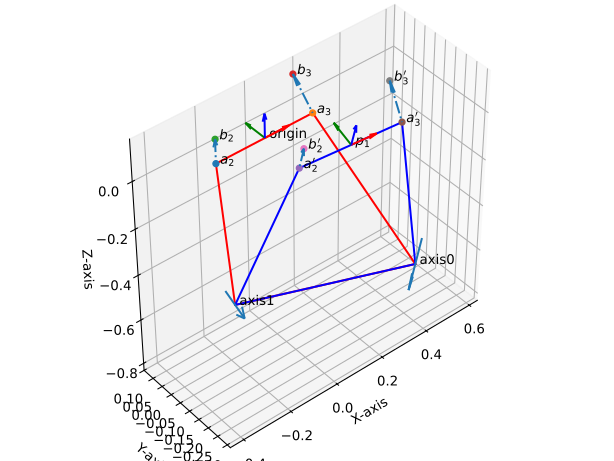
- Parameters:
pose (Union[TransfMatrix, DualQuaternion]) – The second pose of the mechanism to which it snaps (the first pose is identity).
points (list of PointHomogeneous) – The points on the mechanism that specify axes 2 and 3. The ordering of points is important, as axis 2 defines axis 1, and axis 3 defines axis 0.
Examples
from rational_linkages import TransfMatrix, PointHomogeneous, Plotter
from rational_linkages.StaticMechanism import SnappingMechanism

p0 = TransfMatrix()
p1 = TransfMatrix.from_rpy_xyz([15, 0, -5], [0.15, -0.25, 0.05], unit='deg')

a2 = PointHomogeneous([1, -0.2, 0, 0])
a3 = PointHomogeneous([1, 0.2, 0, 0])
b2 = PointHomogeneous([1, -0.2, 0, 0.1])
b3 = PointHomogeneous([1, 0.2, 0.1, 0.1])

m = SnappingMechanism(p1, [a2, b2, a3, b3])

m.factorizations[0].set_joint_connection_points_by_parameters([[0., 0.001],
                                                               [0.001, 0.],
                                                               [0., 0.001],
                                                               [0.001, 0.]])

m.get_design(unit='deg', scale=150)

p = Plotter(arrows_length=0.1, backend='matplotlib')
p.plot(p0, label='origin')
p.plot(p1, label='pose')
p.plot_line_segments_between_points(m.points_discrete_poses[0] + [m.points_discrete_poses[0][0]], color='red')
p.plot_line_segments_between_points(m.points_discrete_poses[1] + [m.points_discrete_poses[1][0]], color='blue')

p.plot(m.screws[0], label='axis0', interval=(-0.1, 0.1))
p.plot(m.screws[1], label='axis1', interval=(-0.1, 0.1))
p.plot(m.screws[2], label='axis2', interval=(-0.1, 0.1))
p.plot(m.screws[3], label='axis3', interval=(-0.1, 0.1))

p.show()
- static get_snap_axis_and_point(a, a_t, b, b_t)[source]
Get the snapping axis between two points.
- Parameters:
a (PointHomogeneous) – The first point on the axis.
a_t (PointHomogeneous) – The transformed first point on the axis.
b (PointHomogeneous) – The second point on the axis.
b_t (PointHomogeneous) – The transformed second point on the axis.
- Return type:
- Returns:
tuple of (NormalizedLine, PointHomogeneous) – A tuple containing the snapping axis and the point on the axis.
Transformation Matrix
- class rational_linkages.TransfMatrix.TransfMatrix(matrix=None)[source]
Bases:
objectRigid body transformation in 3D space, stored as a 4×4 matrix.
Follows the homogeneous-first convention: the homogeneous coordinate occupies position
[0, 0], the translation vector fills column 0 (rows 1–3), and the rotation matrix fills the lower-right 3×3 block:[[1, 0, 0, 0 ], [tx, r11, r12, r13], [ty, r21, r22, r23], [tz, r31, r32, r33]]
To convert to or from the standard convention (rotation top-left, translation top-right), use
to_standard()andfrom_standard().By default, all computation is performed with NumPy (
float64). When the global backend is set to"sympy"viaset_backend(), construction transparently returns aTransfMatrixSymbolicinstance instead.- Parameters:
matrix – 4×4 array-like. If
None, the identity transformation is constructed.- Variables:
matrix (numpy.ndarray) – 4×4
float64array storing the full transformation.
Examples
from rational_linkages.TransfMatrix import TransfMatrix

identity = TransfMatrix()
mat = TransfMatrix([[1, 0, 0, 0],
                 [1, 1, 0, 0],
                 [2, 0, 1, 0],
                 [3, 0, 0, 1]])
print(mat.t)   # [1., 2., 3.]
print(mat.n)   # [1., 0., 0.]
- classmethod from_standard(matrix)[source]
Construct a
TransfMatrixfrom a standard-convention matrix.Expects the standard SE(3) layout (rotation top-left, translation top-right, bottom row
[0, 0, 0, 1]).- Parameters:
matrix – 4×4 array-like in standard convention.
- Return type:
- Returns:
TransfMatrix
- classmethod from_rpy(rpy, unit='rad')[source]
Construct from roll–pitch–yaw angles.
Applies rotations in Z–Y–X order (yaw → pitch → roll).
- Parameters:
- Return type:
- Returns:
TransfMatrix
- Raises:
ValueError – If
rpyis not a 3-vector orunitis unrecognised.
- classmethod from_rpy_xyz(rpy, xyz, unit='rad')[source]
Construct from roll–pitch–yaw angles and a translation vector.
- Parameters:
- Return type:
- Returns:
TransfMatrix
- Raises:
ValueError – If
rpyorxyzare not 3-vectors, orunitis unrecognised.
- classmethod from_vectors(normal_x, approach_z, origin=None)[source]
Construct from a normal (x-axis) and approach (z-axis) vector.
The orthogonal (y-axis) vector is derived as
o = approach_z × normal_x;normal_xis then recomputed asn = o × approach_zto guaranteedet(R) = 1. Both input vectors are silently normalised if necessary.- Parameters:
- Return type:
- Returns:
TransfMatrix
- Raises:
ValueError – If any input is not a 3-vector.
- classmethod from_dh_parameters(theta, d, a, alpha, unit='rad')[source]
Construct from Denavit–Hartenberg parameters.
Follows the standard DH convention: rotation about z by theta, translation along z by d, translation along x by a, rotation about x by alpha.
- Parameters:
- Return type:
- Returns:
TransfMatrix
- Raises:
ValueError – If
unitis unrecognised.
- classmethod from_rotation(axis, angle, xyz=None, unit='rad')[source]
Construct from a rotation about a principal axis.
- Parameters:
- Return type:
- Returns:
TransfMatrix
- Raises:
ValueError – If
axisis not"x","y", or"z", orunitis unrecognised.
- array()[source]
Return the transformation as a 4×4 NumPy array.
Thin alias for
self.matrix.- Return type:
- Returns:
numpy.ndarray
- rot_matrix()[source]
Return the 3×3 rotation sub-matrix.
- Return type:
- Returns:
numpy.ndarray – Rows and columns 1–3 of the full matrix.
- is_rotation()[source]
Check whether the rotation sub-matrix has determinant 1.
Emits a
UserWarningif the check fails; does not raise.- Return type:
- Returns:
bool –
Trueifdet(R) ≈ 1.
- inv()[source]
Return the inverse transformation.
Computed analytically:
R^{-1} = R^T,t^{-1} = -R^T t.- Return type:
- Returns:
TransfMatrix
- to_standard()[source]
Convert to the standard SE(3) convention.
In the standard convention the rotation matrix occupies the top-left 3×3 block, the translation vector occupies the top-right column, and the bottom row is
[0, 0, 0, 1]:[[r11, r12, r13, tx], [r21, r22, r23, ty], [r31, r32, r33, tz], [0, 0, 0, 1 ]]
- Return type:
- Returns:
numpy.ndarray – 4×4
float64array in standard convention.
- matrix2dq()[source]
Convert to a dual quaternion 8-vector.
- Return type:
- Returns:
numpy.ndarray – 8-vector
[p0, p1, p2, p3, d0, d1, d2, d3].
- rpy()[source]
Return roll–pitch–yaw angles of the rotation sub-matrix.
- Return type:
- Returns:
numpy.ndarray – 3-vector
[roll, pitch, yaw]in radians.
- dh_to_other_frame(other)[source]
Return Denavit–Hartenberg parameters from this frame to other.
- Parameters:
other (
TransfMatrix) – Target frame.- Return type:
- Returns:
list[float] –
[theta, d, a, alpha]in radians.- Warns:
UserWarning – If the two frames do not satisfy the DH convention.
Transformation Matrix Symbolic
- class rational_linkages.TransfMatrixSymbolic.TransfMatrixSymbolic(matrix=None)[source]
Bases:
TransfMatrixSymbolic rigid body transformation backed by SymPy expressions.
Subclass of
TransfMatrixfor algebraic computation. Typically not instantiated directly — when the global backend is set to"sympy"viaset_backend(),TransfMatrixtransparently returns instances of this class via its__new__factory.The primary attribute
matrixis asympy.Matrixrather than a NumPy array. Then,o,a,tproperties return SymPy column slices.- Parameters:
matrix – 4×4 array-like of SymPy expressions or plain numbers. If
None, the symbolic identity transformation is constructed.
Examples
import rational_linkages
rational_linkages.set_backend("sympy")

from rational_linkages.TransfMatrix import TransfMatrix
from sympy import symbols

tx, ty, tz = symbols("tx ty tz", real=True)
mat = TransfMatrix([[1, 0, 0, 0],
                 [tx, 1, 0, 0],
                 [ty, 0, 1, 0],
                 [tz, 0, 0, 1]])
print(mat.t)   # Matrix([tx, ty, tz])

rational_linkages.set_backend("numpy")
- classmethod from_standard(matrix)[source]
Construct a
TransfMatrixSymbolicfrom a standard-convention matrix.Expects the standard SE(3) layout (rotation top-left, translation top-right, bottom row
[0, 0, 0, 1]).- Parameters:
matrix – 4×4 array-like in standard convention.
- Return type:
- Returns:
TransfMatrixSymbolic
- classmethod from_rpy(rpy, unit='rad')[source]
Construct from roll–pitch–yaw angles (symbolic or numeric).
Applies rotations in Z–Y–X order (yaw → pitch → roll).
- Parameters:
rpy – 3-vector
[roll, pitch, yaw]of SymPy expressions or numbers.unit (
str) –"rad"(default) or"deg".
- Return type:
- Returns:
TransfMatrixSymbolic
- classmethod from_rpy_xyz(rpy, xyz, unit='rad')[source]
Construct from roll–pitch–yaw angles and a translation vector.
- Parameters:
- Return type:
- Returns:
TransfMatrixSymbolic
- classmethod from_vectors(normal_x, approach_z, origin=None)[source]
Construct from a normal (x-axis) and approach (z-axis) vector.
The orthogonal (y-axis) vector is derived as
o = approach_z × normal_x;normal_xis then recomputed asn = o × approach_zto guaranteedet(R) = 1. Both input vectors are silently normalised if necessary.- Parameters:
- Return type:
- Returns:
TransfMatrixSymbolic
- classmethod from_dh_parameters(theta, d, a, alpha, unit='rad')[source]
Construct from Denavit–Hartenberg parameters.
Follows the standard DH convention: rotation about z by theta, translation along z by d, translation along x by a, rotation about x by alpha.
- Parameters:
theta – Rotation about the z-axis (SymPy expression or number).
d – Translation along the z-axis.
a – Translation along the x-axis.
alpha – Rotation about the x-axis.
unit (
str) –"rad"(default) or"deg".
- Return type:
- Returns:
TransfMatrixSymbolic
- classmethod from_rotation(axis, angle, xyz=None, unit='rad')[source]
Construct from a rotation about a principal axis.
- Parameters:
- Return type:
- Returns:
TransfMatrixSymbolic
- property n: MutableDenseMatrix
Normal vector (x-axis), column 1, rows 1–3.
- property o: MutableDenseMatrix
Orthogonal vector (y-axis), column 2, rows 1–3.
- property a: MutableDenseMatrix
Approach vector (z-axis), column 3, rows 1–3.
- property t: MutableDenseMatrix
Translation vector, column 0, rows 1–3.
- rot_matrix()[source]
Return the 3×3 rotation sub-matrix as a
sympy.Matrix.- Return type:
- Returns:
sympy.Matrix
- is_rotation()[source]
Check whether the rotation sub-matrix has determinant 1.
Uses
sympy.simplify()for the determinant check. Emits aUserWarningif the check fails.- Return type:
- Returns:
bool
- inv()[source]
Return the inverse transformation.
Computed as
R^{-1} = R^T,t^{-1} = -R^T t, with each entry simplified viasympy.simplify().- Return type:
- Returns:
TransfMatrixSymbolic
- to_standard()[source]
Convert to the standard SE(3) convention.
Returns a
sympy.Matrixwith rotation top-left, translation top-right, and bottom row[0, 0, 0, 1].- Return type:
- Returns:
sympy.Matrix
- matrix2dq()[source]
Convert to a dual quaternion 8-vector.
- Return type:
- Returns:
list – 8-vector
[p0, p1, p2, p3, d0, d1, d2, d3].
- eval(subs)[source]
Evaluate the matrix by substituting symbols with values.
- Parameters:
subs (dict) – Mapping of SymPy symbols to values.
- Return type:
- Returns:
TransfMatrixSymbolic – New matrix with substitutions applied.
Examples
import rational_linkages
rational_linkages.set_backend("sympy")

from rational_linkages.TransfMatrix import TransfMatrix
from sympy import symbols

tx = symbols("tx")
mat = TransfMatrix([[1, 0, 0, 0],
                 [tx, 1, 0, 0],
                 [0,  0, 1, 0],
                 [0,  0, 0, 1]])
print(mat.eval({tx: 5}).t)

rational_linkages.set_backend("numpy")
Utilities (Python)
- rational_linkages.utils.dq_algebraic2vector(ugly_expression)[source]
Convert an algebraic expression to a vector.
Converts an algebraic equation in terms of i, j, k, epsilon to an 8-vector representation with coefficients [p0, p1, p2, p3, p4, p5, p6, p7].
- rational_linkages.utils.extract_coeffs(expr, var, deg, expand=True)[source]
Extract the coefficients of a polynomial expression.
- Parameters:
- Returns:
list – List of coefficients of the polynomial.
- rational_linkages.utils.color_rgba(color, transparency=1.0)[source]
Convert a common color name to an RGBA tuple.
- rational_linkages.utils.sum_of_squares(list_of_values)[source]
Calculate the sum of squares of values in a given list.
- rational_linkages.utils.is_package_installed(package_name)[source]
Check if a package is installed.
- rational_linkages.utils.tr_from_dh_rationally(t_theta, di, ai, t_alpha)[source]
Create a transformation matrix from DH parameters using Sympy in rational form.
The input shall be rational numbers, including the angles which are expected to be parameters of tangent half-angle substitution, i.e., t_theta = tan(theta/2) and t_alpha = tan(alpha/2).
- Parameters:
t_theta (sympy.Rational) – DH parameter theta in tangent half-angle form.
di (sympy.Rational) – DH parameter d, the offset along Z axis.
ai (sympy.Rational) – DH parameter a, the length along X axis.
t_alpha (sympy.Rational) – DH parameter alpha in tangent half-angle form.
- Returns:
sympy.Matrix – 4x4 transformation matrix.
- rational_linkages.utils.normalized_line_rationally(point, direction)[source]
Create a normalized Plücker line from a point and a direction using Sympy.
The input shall be rational numbers, i.e., Sympy objects.
- Parameters:
point (sympy.Rational) – Point in space.
direction (sympy.Rational) – Direction vector.
- Returns:
sympy.Matrix – 6-vector representing the Plücker line.
Utilities (Rust)
Rust-compiled extension module for performance-critical operations.
- rational_linkages.utils_rust.motion_interp_x3(p1, p2, p3)
- Parameters:
p1 (numpy.ndarray) – First point.
p2 (numpy.ndarray) – Second point.
p3 (numpy.ndarray) – Third point.
- Returns:
Interpolated result.
- Return type: