Dynamics Simulations - Exudyn Integration
The package provides an interface to the Exudyn flexible multibody dynamics simulation library by Gerstmayr[1], developed at the Department of Mechatronics, University of Innsbruck, Austria. Source code is available at https://github.com/jgerstmayr/EXUDYN
We would like to thank prof. Johannes Gerstmayr for his help with the integration.
Exudyn is in the optional dependencies of the Rational Linkages dependencies. To install Exudyn, please follow the instructions in the Exudyn documentation or get this way:
pip install rational_linkages[cad]
Exudyn is lightweight, written in C++, and provides a Python interface for easy usage and integration. The library supports large deformations and handles can handle contact and friction problems. It offers a variety of joints and forces for comprehensive simulation capabilities. Its flexibility makes it suitable for a broad spectrum of dynamic simulations.
This interface to Exudyn is a work-in-progress and probably won’t work for all linkages. Please, report any issues or suggestions. It might be necessary to adjust the simulation parameters from the following code to fit the specific mechanism. Additionally, please see the Exudyn documentation for more information on the simulation parameters.
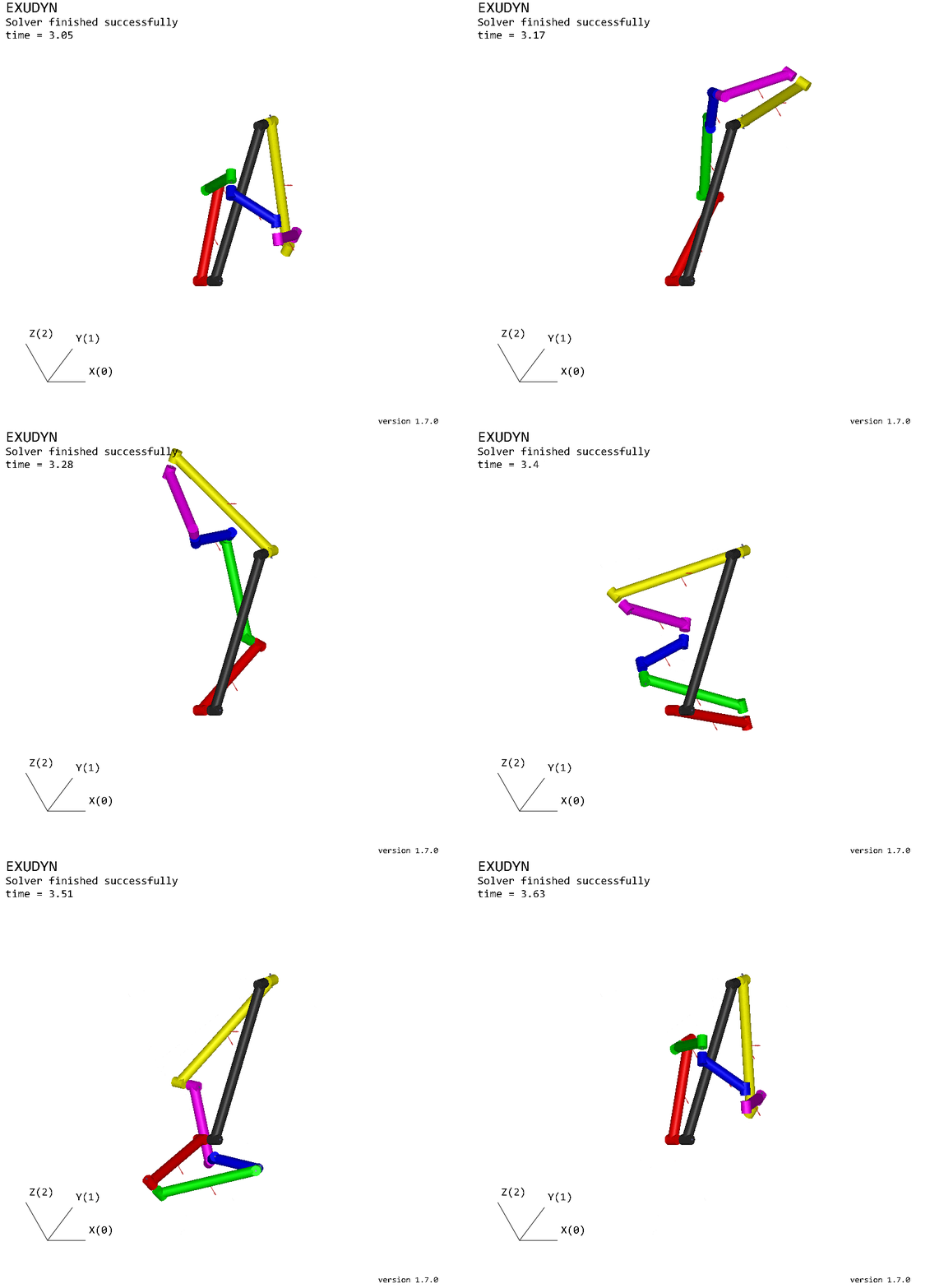

The class ExudynAnalysis gathers the necessary geometric and kinematic
properties of a linkage, that can be used to create a simulation model in Exudyn.
Use the following code to create an Exudyn model from a linkage:
# This code is NOT TESTED on redular pipeline schedule
from rational_linkages import ExudynAnalysis
from rational_linkages.models import collisions_free_6r, bennett_ark24
from exudyn.utilities import *


# choose 4-bar or 6-bar mechanism
mechanism_case = '4r'
# mechanism_case = '6r'


# define initial parameters for simulation
match mechanism_case:
    case '4r':
        m = bennett_ark24()
        number_of_links = 4

        # exudyn parameters
        w = 0.06  # width of link
        simulation_time = 1.5
        torque_load = [0, 0, 50]

        # last joint is "generic" with these constraints
        constrained_axes = [1, 1, 0, 0, 0, 0]
    case '6r':
        m = collisions_free_6r()
        number_of_links = 6

        # exudyn parameters
        w = 0.1  # width of link
        simulation_time = 5
        torque_load = [6000, 0, 0]

        # last joint is "generic" with these constraints
        constrained_axes = [1, 1, 1, 0, 1, 0]

# get parameters from rational_linkages mechanism model
(links_pts, links_lengths, body_dim, links_masses_pts, joint_axes,
 rel_links_pts) = ExudynAnalysis().get_exudyn_params(m, link_radius=w)

###################################################################################
# EXUDYN PART #####################################################################

useGraphics = True
g = [0, 0, -9.81]  # gravity
colors = [color4red, color4green, color4blue, color4magenta, color4yellow]
SC = exu.SystemContainer()
mbs = SC.AddSystem()

inertias = [InertiaCuboid(density=5000, sideLengths=body_dim[i])
            for i in range(number_of_links)]

# GRAPIHCS BODIES
# ground link
gGround0 = GraphicsDataRigidLink(p0=links_pts[0][0], p1=links_pts[0][1],
                                 axis0=joint_axes[-1], axis1=joint_axes[0],
                                 radius=[0.5 * w, 0.5 * w],
                                 thickness=w, width=[1.2 * w, 1.2 * w],
                                 color=color4darkgrey)
graphics_bodies = [gGround0]

# other links
for i in range(1, number_of_links):
    graphics_body = GraphicsDataRigidLink(
        p0=rel_links_pts[i][0],
        p1=rel_links_pts[i][1],
        axis0=joint_axes[i - 1],
        axis1=joint_axes[i],
        radius=[0.5 * w, 0.5 * w],
        thickness=w,
        width=[1.2 * w, 1.2 * w],
        color=colors[i - 1]
    )
    graphics_bodies.append(graphics_body)

# RIGID BODIES
# ground body
oGround = mbs.AddObject(
    ObjectGround(visualization=VObjectGround(graphicsData=[gGround0])))
bodies = [oGround]

# other links
for i in range(1, number_of_links):
    body = mbs.CreateRigidBody(
        inertia=inertias[i],
        referencePosition=links_masses_pts[i],
        gravity=g,
        graphicsDataList=[graphics_bodies[i]]
    )
    bodies.append(body)

# REVOLUTE JOINTS
for i in range(number_of_links - 1):
    mbs.CreateRevoluteJoint(
        bodyNumbers=[bodies[i], bodies[i + 1]],
        position=links_pts[i][1],
        axis=joint_axes[i],
        useGlobalFrame=True,
        axisRadius=0.02,
        axisLength=0.14
    )

# TORQUE
mBody = mbs.AddMarker(
    MarkerNodeRigid(nodeNumber=mbs.GetObject(bodies[-1])['nodeNumber']))
mbs.AddLoad(Torque(markerNumber=mBody, loadVector=torque_load))

last_joint_frame = ComputeOrthonormalBasis(joint_axes[-1])

mbs.CreateGenericJoint(bodyNumbers=[bodies[-1], bodies[0]],
                       position=links_pts[-1][1],
                       rotationMatrixAxes=last_joint_frame,
                       constrainedAxes=constrained_axes,
                       useGlobalFrame=True,
                       axesRadius=0.02,
                       axesLength=0.14)

mbs.Assemble()

# simulation parameters:
simulationSettings = exu.SimulationSettings()

simulationSettings.timeIntegration.numberOfSteps = 1000
simulationSettings.timeIntegration.endTime = simulation_time
simulationSettings.timeIntegration.verboseMode = 1

simulationSettings.linearSolverSettings.ignoreSingularJacobian = True
simulationSettings.linearSolverType = exu.LinearSolverType.EigenDense

mbs.ComputeSystemDegreeOfFreedom(verbose=True, useSVD=True)
# mbs.systemData.Info()

if useGraphics:
    exu.StartRenderer()
    print('wait')
    mbs.WaitForUserToContinue()

mbs.SolveDynamic(simulationSettings)#, showHints=True, showCausingItems=True)

# stop graphics
if useGraphics:
    SC.WaitForRenderEngineStopFlag()
    exu.StopRenderer()

# visualize results after simulation:
mbs.SolutionViewer()
References: