Motion Designer
The MotionDesigner is an interactive tool for designing rational motions (and
corresponding linkages) for a given task, i.e., a set of poses or points.
It is a part of the Rational Linkages package, using Qt6 backend for the GUI. There are four methods supported for designing rational motions. They correspond to the Motion Interpolation method.
quadratic_from_poses– interpolates a sef of 3 poses yielding a quadratic motion curve (4-bar linkage)
cubic_from_poses– interpolates a set of 4 poses yielding a cubic motion curve (6-bar linkage)
quadratic_from_points– interpolates a set of 5 points yielding a quadratic motion curve (4-bar linkage)
cubic_from_points– interpolates a set of 7 points yielding a cubic motion curve (6-bar linkage)
In the code, use it as follows:
# This code is NOT TESTED on redular pipeline schedule
from rational_linkages import MotionDesigner

MotionDesigner.start()
Eventually, if you don’t want to always choose methodology using GUI, just use:
from rational_linkages import MotionDesigner

designer = MotionDesigner(method='quadratic_from_poses')
designer.show()
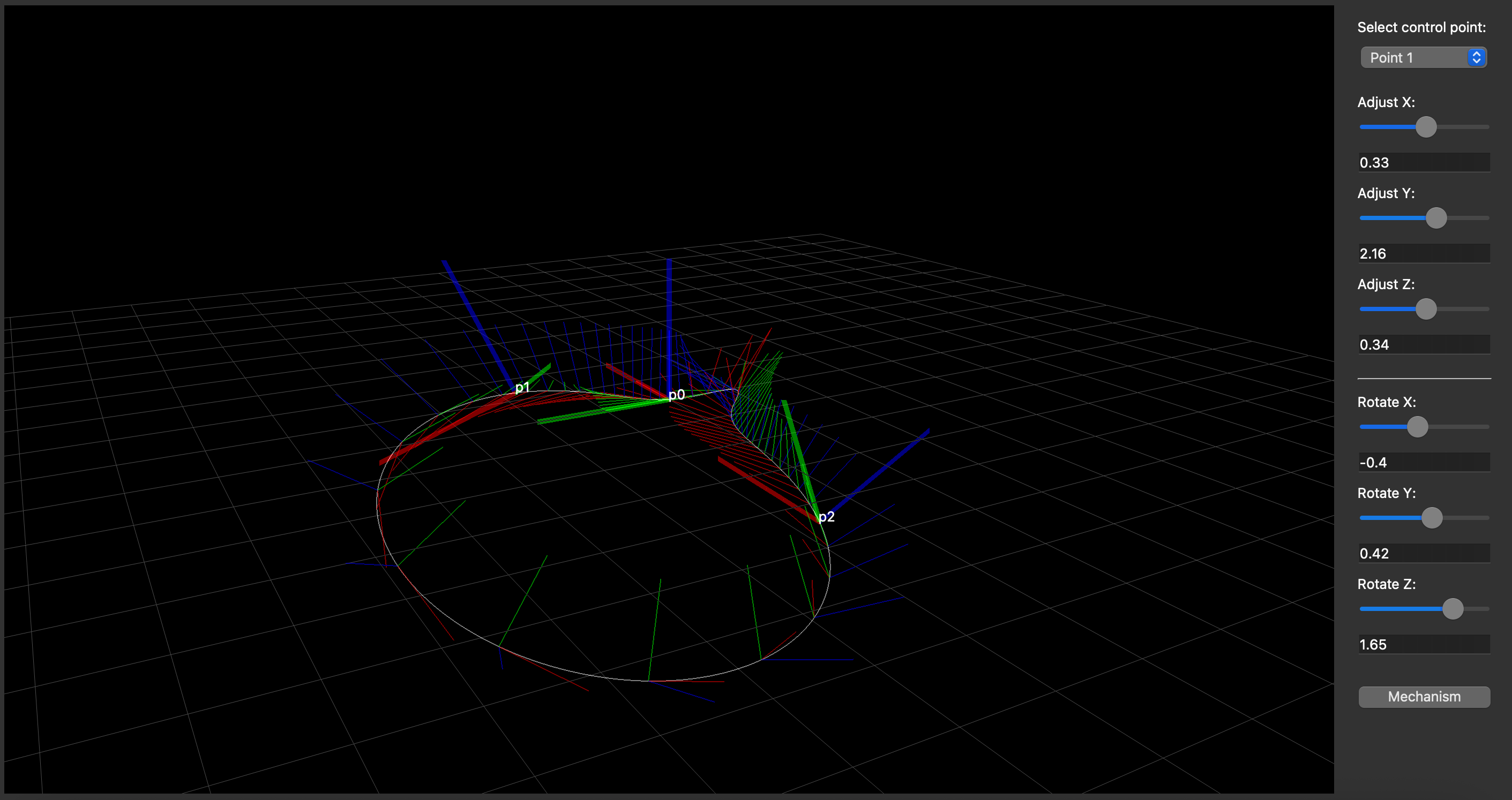
This will produce an interactive window where you can alter the given poses or points using the sliders
or text boxes. It is possible to synthesize and visualize multiple mechanisms. However, sometimes the
parameterization of the motion curve is not ‘nice’, i.e., the motion curve visualization is not smooth.
To avoid this, copy the output data and insert to a new Plotter instance with a higher number
of steps.
After closing the window, chosen parameters will be printed out, so they can be used in
Motion Interpolation, or used as an input for a new MotionDesigner instance (see the
docstring of the class for more details).
MotionDesigner can also preview the mechanism or visualize STL of your workcell. See the section Visualizing Custom STL in MotionDesigner for more details.